Dev & Security

WooCommerce Checkout Security: 7 Essential Checks for a Safe Season
Attackers know exactly when stores are busiest and least likely to notice something odd. Peak season brings more card testing, more fake orders, and more attempts to slip skimming code into checkout. A structured WooCommerce checkout security review can reduce avoidable risk, but no fixed review duration or single control guarantees protection.
This guide covers why stores are targeted, updates and plugin audits, securing accounts, protecting the checkout page, and monitoring for trouble.
Decide in advance who responds if something happens, and keep your host’s emergency contact handy.
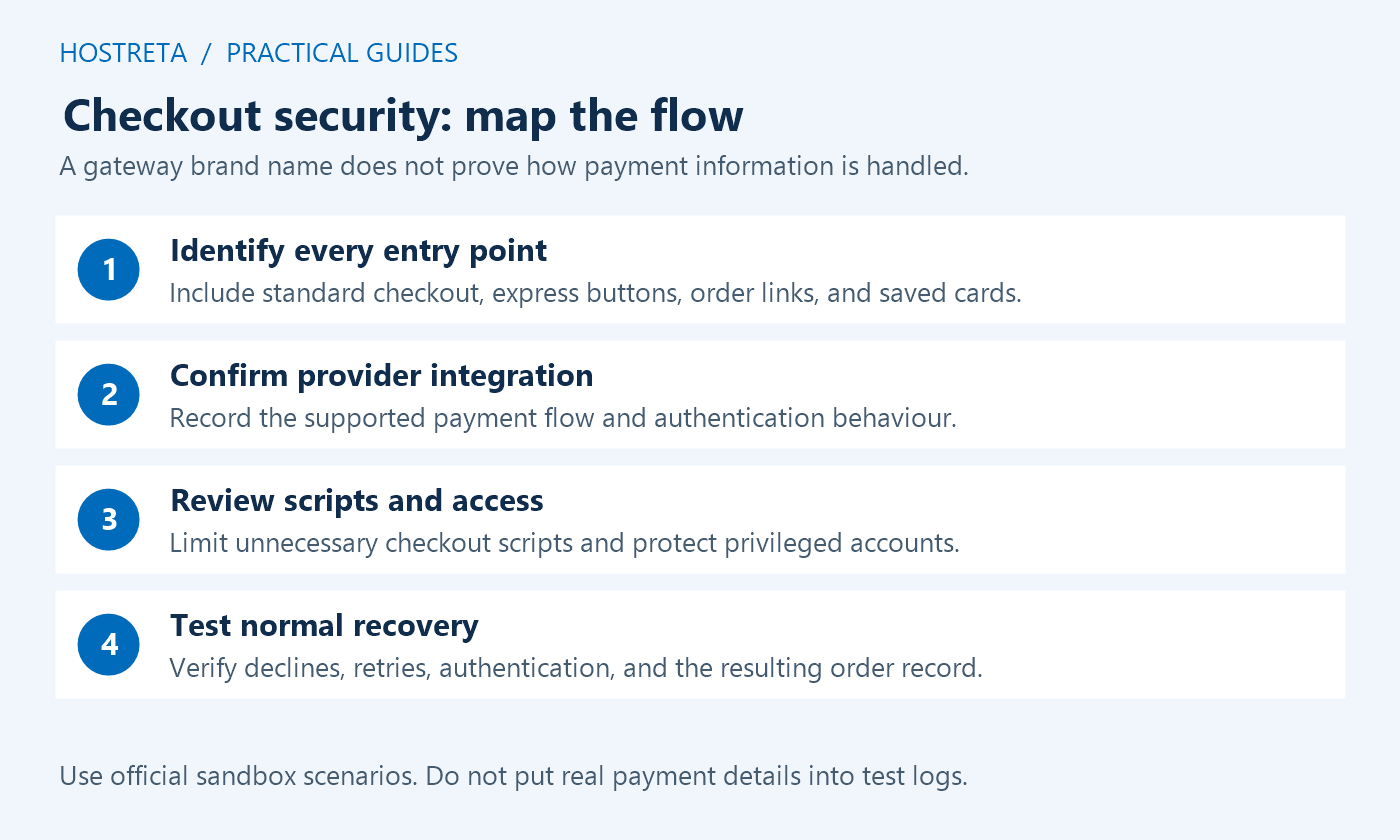
Checkout security is a maintained operating practice across accounts, application code, payment integration, hosting, and incident response. Start by identifying the actual checkout implementation and the systems that handle a request. A visual challenge or a security plugin cannot replace that map.
Use staging and supported payment test modes for routine verification. This guide describes defensive review rather than running attacks, processing live payments, or changing your store. Keep synthetic customer data in tests and follow the gateway’s supported procedures and operating limits.
Record whether the store uses Checkout Blocks or a classic implementation, which gateway handles each method, and which scripts or endpoints participate. Checkout security controls must support that actual path. A plugin advertised for WooCommerce may not cover every checkout style or express-payment integration.
Document where payment fields are hosted and what data the site receives. Keep card data out of ordinary logs, analytics, custom fields, and support attachments. Confirm the relevant responsibilities with the payment provider and qualified adviser rather than assuming an integration removes every merchant obligation.
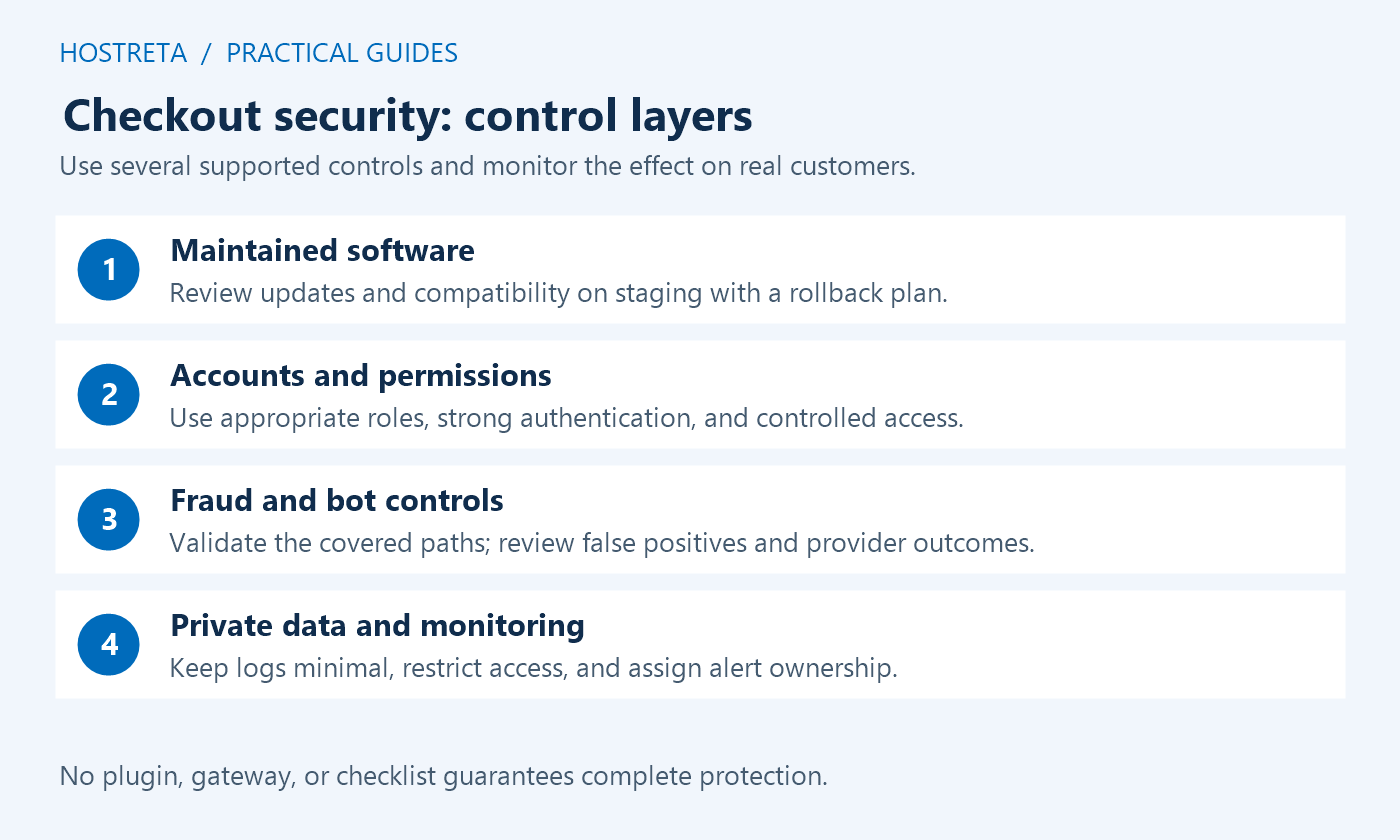
Review WordPress, WooCommerce, the theme, gateway extensions, and security-relevant custom code. Checkout security needs timely maintenance with representative tests. Keep a known working version and a recovery process instead of postponing every update until after the busy season.
Inventory privileged users and integrations. Use individual accounts, appropriate capabilities, strong authentication, and a documented recovery route. Review staff departures and external access through the normal account process. A shared administrator login makes attribution and controlled access harder to maintain.
Use the current gateway documentation and understand what each rule evaluates. Checkout security can involve card verification, risk scoring, supported authentication challenges, and merchant-configured rules. Coverage and behavior differ by provider, account, region, and payment method.
WooPayments documents its fraud protection settings and verification checks. Treat these as product-specific controls. Review false positives and legitimate customer failures rather than applying the most restrictive option without a test.
Check the supported limits and challenge integration for the actual order and payment paths. Checkout security should not depend solely on hiding a button or displaying a browser widget. Confirm that the server enforces the intended rule when the relevant request is processed.
Use controlled staging cases rather than generating unauthorized pressure against a live gateway. Test ordinary shoppers, expected retries, and a documented blocked case with synthetic data. Keep an accessible failure message and a support route so legitimate users can recover from an incorrect block.
Inventory scripts loaded on checkout and identify their owners and purposes. Checkout security includes reducing unnecessary third-party exposure and maintaining the scripts that remain. A visual design or marketing experiment should not add an unreviewed payment-page dependency.
Verify HTTPS, mixed-content behavior, and cache exclusions for personalized pages and relevant requests. Do not publicly cache account or cart output for a performance score. Use independent synthetic sessions to confirm that private state stays separate through the host and edge configuration.
Review unusual payment failures, repeated attempts, suspicious order patterns, file changes, privileged actions, and relevant gateway alerts. Checkout security monitoring should lead to a decision by a named owner. A dashboard full of warnings nobody reviews is not an operational response process.
Use the provider’s evidence and context. A shared IP can represent legitimate users, and a small order is not automatically fraudulent. Avoid making broad customer accusations from one signal. Preserve sanitized details and escalate through the supported gateway or hosting process.
Record who can investigate, contact the host or gateway, pause a risky flow, and authorize restoration. Checkout security incidents can involve both service availability and payment data, so coordinate the response rather than making unrelated emergency changes without a record.
Keep recoverable backups and preserve recent legitimate orders. Restoring an old database can erase transactions created afterward. Define a data-aware recovery plan, retain relevant evidence privately, and involve the appropriate specialists when compromise or payment-data exposure is suspected.
| Area | Evidence | Limit to remember |
|---|---|---|
| Access | Reviewed accounts, capabilities, authentication, and recovery | A role name alone does not prove the actual permissions |
| Updates | Supported versions and relevant acceptance results | Recent releases do not establish perfect security |
| Gateway rules | Documented settings and synthetic test outcomes | No fraud system catches every case |
| Abuse controls | Server-side enforcement on the actual checkout path | A browser challenge alone is not complete protection |
| Scripts and caching | Known dependencies and private-session tests | A fast page can still expose wrong or stale content |
| Response | Owner, escalation, evidence handling, and recovery rehearsal | A backup notice is not proof of restoration capability |
Use the matrix to make checkout security reviewable without treating it as a guaranteed certification. Add the store’s actual integrations and important edge cases. Keep the accepted result and unresolved gaps in a concise operating record.
Repeated automated payment attempts can create declines, operational load, and other costs. Investigate using the provider’s supported signals and guidance. WooCommerce publishes card-testing prevention and response guidance, while WooPayments has its own product-specific procedures.
Checkout security should combine appropriate application, provider, and infrastructure controls. Do not assume a general malware scanner or login firewall covers payment-attempt abuse. Identify which component evaluates which requests and how its result is recorded.
If suspicious activity appears, follow the supported incident path and preserve the relevant time window and order references. Do not test with stolen data or repeat questionable live authorizations to investigate. Use synthetic cases and the provider’s documented tools.
Verify the selected challenge supports the active checkout, express buttons, mobile flow, and relevant accessibility requirements. An integration for a contact form does not automatically protect order creation. Checkout security requires a supported hook into the actual application path.
Review how limits identify a client behind proxies and shared networks. A strict IP rule can block legitimate customers or staff, while an incomplete rule can miss another supported payment path. Work with the host and gateway to tune controls from evidence.
Test validation failure and service-unavailable behavior in staging. Keep customer messages useful without exposing internal fraud rules. Record how an operator can diagnose a legitimate block without disabling the entire protection stack.
Keep an inventory of payment-page scripts with purpose, owner, source, and review status. Checkout security is affected by code added through tags, themes, plugins, and custom snippets. A script inserted by a marketing tool still runs in a sensitive customer journey.
Remove unnecessary functionality through a controlled change and test required payment behavior afterward. Do not disable a gateway dependency because its name is unfamiliar. Review updates and integrity or monitoring controls through the supported implementation and qualified requirements applicable to the store.
Use a code freeze with an exception process where appropriate. Urgent security fixes may still be necessary, while optional design or tracking changes can wait. Record the exact release and verify the checkout after any accepted exception.
Review administrators, shop managers, hosting access, deployment credentials, and external integrations separately. Checkout security can be undermined by a compromised account that changes code or gateway configuration. Use the least suitable privilege for each task and maintain ownership records.
Plan multifactor recovery before enforcing changes so the responsible team is not locked out. Remove unnecessary access through authorized account procedures and preserve historical attribution where relevant. Avoid using a public author profile as a reason to retain privileged login access.
Check logs for the events the team actually needs to investigate. An application logger may not capture hosting-panel or direct filesystem changes. Keep coverage boundaries explicit rather than treating one plugin as a complete forensic record.
Keep sensitive payment information out of ordinary WordPress storage, debug logs, analytics, and support messages. Checkout security review should inspect custom code and payload logging as well as the gateway interface. A test configuration can accidentally log more than the production screen displays.
Use provider-approved synthetic payment data and redact relevant examples before sharing. Store logs in protected locations with appropriate retention. If you suspect exposure, preserve evidence through the incident process and involve the responsible security and payment specialists.
Do not claim that a hosted field or redirect alone establishes the store’s entire compliance position. The integration, website scripts, operational practices, and applicable requirements still need appropriate review. Keep technical verification distinct from a formal compliance conclusion.
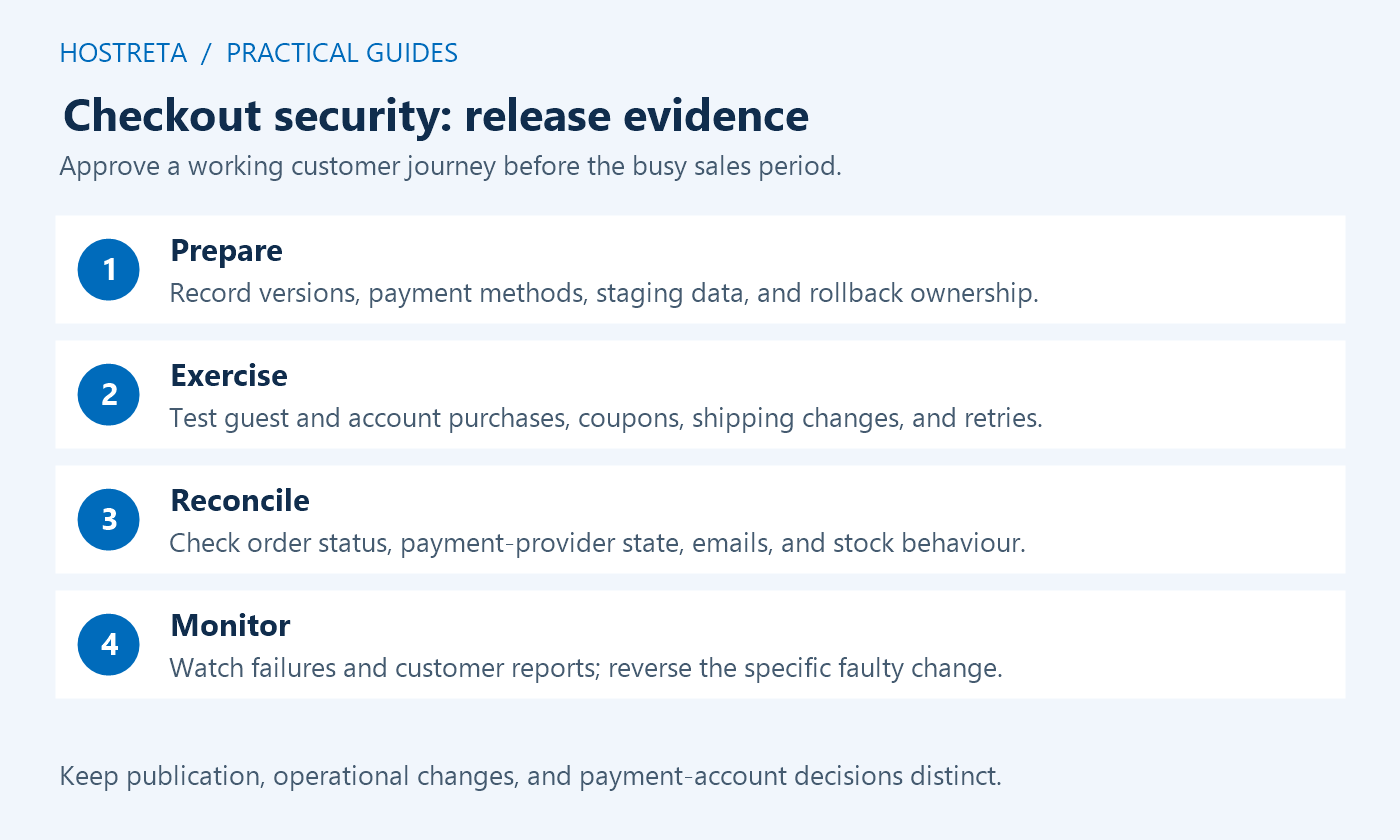
Test a successful ordinary purchase, a supported rejected payment, an interrupted attempt, an account flow, and relevant express-payment paths on staging. Verify the expected order state and customer message. Checkout security changes must preserve legitimate transactions.
Check mobile and keyboard interaction, not only a desktop administrator session. A challenge or script restriction can break a payment element without an obvious server error. Review browser diagnostics and the specific request when a control behaves unexpectedly.
Keep external systems in supported test modes and prevent real fulfillment or notifications. Synthetic orders should be identifiable so later cleanup and reporting do not confuse them with customers. Record expected and observed outcomes with the configuration version.
Use multiple relevant signals and provider evidence when reviewing an order. An unusual address, region, or IP by itself may have a legitimate explanation. Checkout security should support careful investigation rather than broad rules presented as certainty about a person.
Assign an alert destination that is monitored during the campaign and an alternate owner for absences. Check that messages actually arrive. Keep private customer and payment details out of general team channels when a restricted incident record is more appropriate.
Review false positives as well as blocked attempts. A control that rejects many legitimate shoppers can create a serious business problem while appearing active. Tune supported settings from observed evidence and document significant changes.
Keep independent protected backups and rehearse restoration in a suitable environment. Checkout security recovery may require a known clean code state, preserved order data, credential handling, and coordination with the payment provider. A backup file alone does not establish those steps.
Do not restore a known vulnerable or compromised version simply because it is older. Identify the cause and the supported corrected state. Keep recent legitimate transactions and external payment records in view when deciding how to recover application data.
After a correction, repeat the relevant functional tests and review fresh evidence. Record what was confirmed and what remains uncertain. A temporary decline in suspicious traffic is not proof that every root cause has been removed.
Provide the implementer the checkout type, gateways, scripts, roles, proxy arrangement, observed issues, and acceptance checks. Ask which component enforces each control and how failures are investigated. Checkout security needs clear operating ownership after installation.
If you need technical help with the website or hosting setup, KAWEDMA offers website development and hosting services. Keep the scope concrete and request a staging demonstration and a documented handover; use qualified security or payment specialists for the assessments that require them.
No. It protects transport under the configured trust model, but application code, accounts, scripts, payment integration, and fraud controls still matter. Verify the certificate and routing without treating the padlock as a complete security assessment.
No single challenge guarantees that. Use a supported integration with server-side enforcement, appropriate limits, and monitoring. Test legitimate users and alternative payment paths as well as the intended blocked case.
Use the provider’s supported risk controls and a documented review process. Individual signals can have legitimate explanations. Keep customer treatment and operational decisions grounded in evidence rather than assumptions from one field.
The defined checkout security controls are supported, tested, monitored, and owned; legitimate journeys work; data handling is appropriate; and recovery is documented. Record remaining gaps and review after material application or payment changes.
We may earn a commission on purchases made through these links, at no extra cost to you.
Don’t miss the chance to participate in the biggest giveaway of this year.