HowTo

How to Set Up Product Bundles in WooCommerce
A customer buying a camera might also need a case, a memory card, and a strap — but hunting for each one takes effort, and many shoppers just buy the camera. Product bundles solve that by grouping those items into one offer. They raise your average order value without starting a discount war, and they make gift shopping much easier.
This guide shows how to set up product bundles in WooCommerce in 2026: why they work, how grouped products differ from true bundles, choosing a plugin, creating your first bundle step by step, pricing and stock, block checkout compatibility, and how to promote product bundles before the holiday rush.
Product bundles also reduce the number of separate shipments you send, which can lower fulfilment costs per item. For shoppers, one clear “everything you need” offer is far less work than building a cart from scratch.
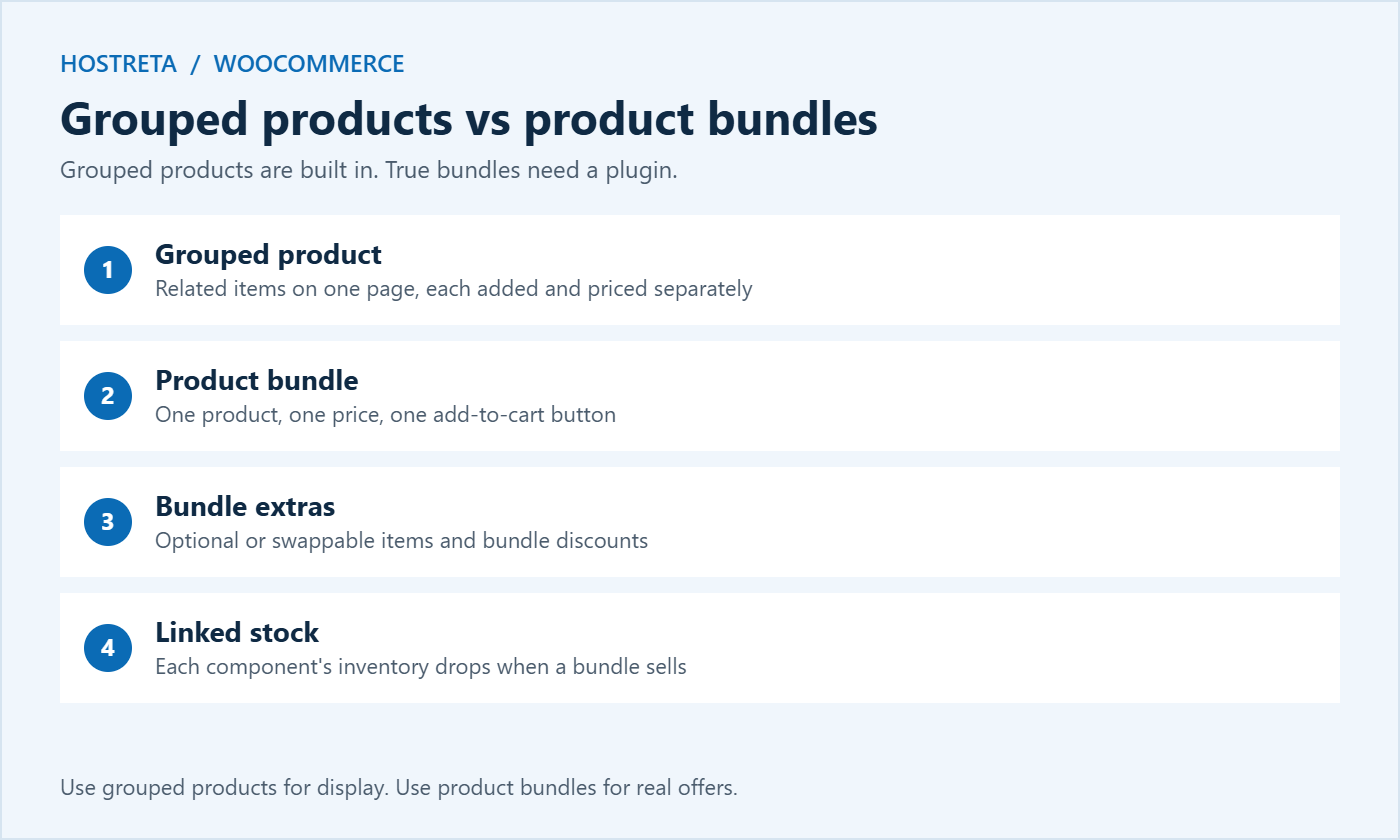
If you just want to display related items together, grouped products are free and enough. WooCommerce explains the built-in product types in its managing products documentation. For real bundle pricing and one-click purchase, you need a plugin.
Popular options include WPC Product Bundles (a generous free version), YITH WooCommerce Product Bundles, and the official Product Bundles extension sold on WooCommerce.com. A full comparison is in Best WooCommerce Product Bundle Plugins Compared. When you compare them, check:
Check features and pricing on each plugin’s own page before buying, and always test on a staging site first.
Shoppers want to know exactly what they get. List every item with its quantity, show the individual total and the bundle price, and explain who the bundle is for. One short benefit-led paragraph and a checklist of contents usually beats a long block of text. For more ideas, see How to Write Product Descriptions That Sell.
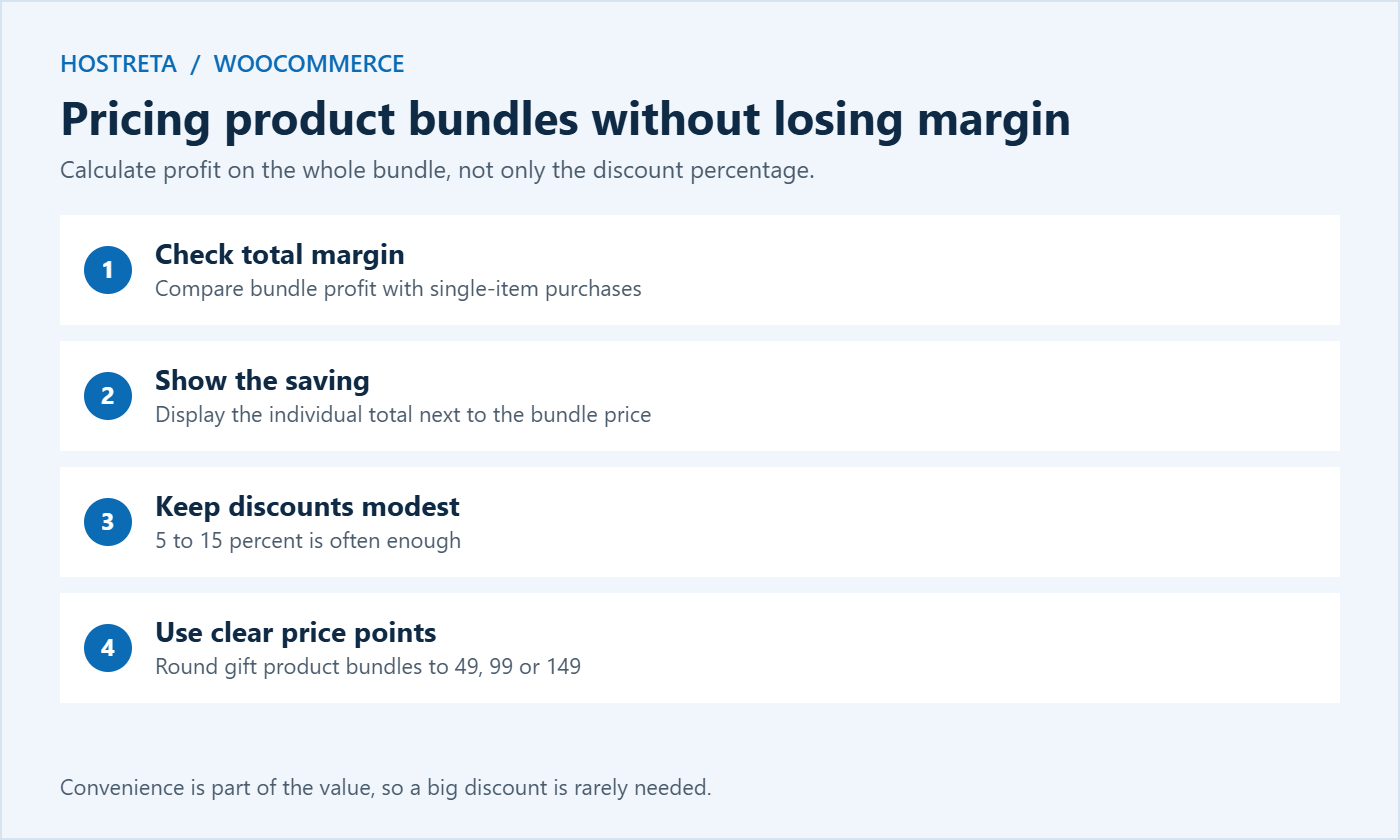
Say a camera sells for 400 with a 25% margin (100 profit), and accessories worth 80 have a 50% margin (40 profit). Bought separately, total profit is 140. A bundle at 450 is a saving of 30 for the customer and leaves 110 profit — less per order, but much more than the 100 you earn when a shopper buys only the camera. Run this calculation for every product bundle before you publish it.
If you manage a large catalogue, an inventory tool helps keep component stock accurate — see Best WooCommerce Inventory Management Plugins.
A full checkout testing routine is in How to Test Your Checkout End to End Before Peak Season.
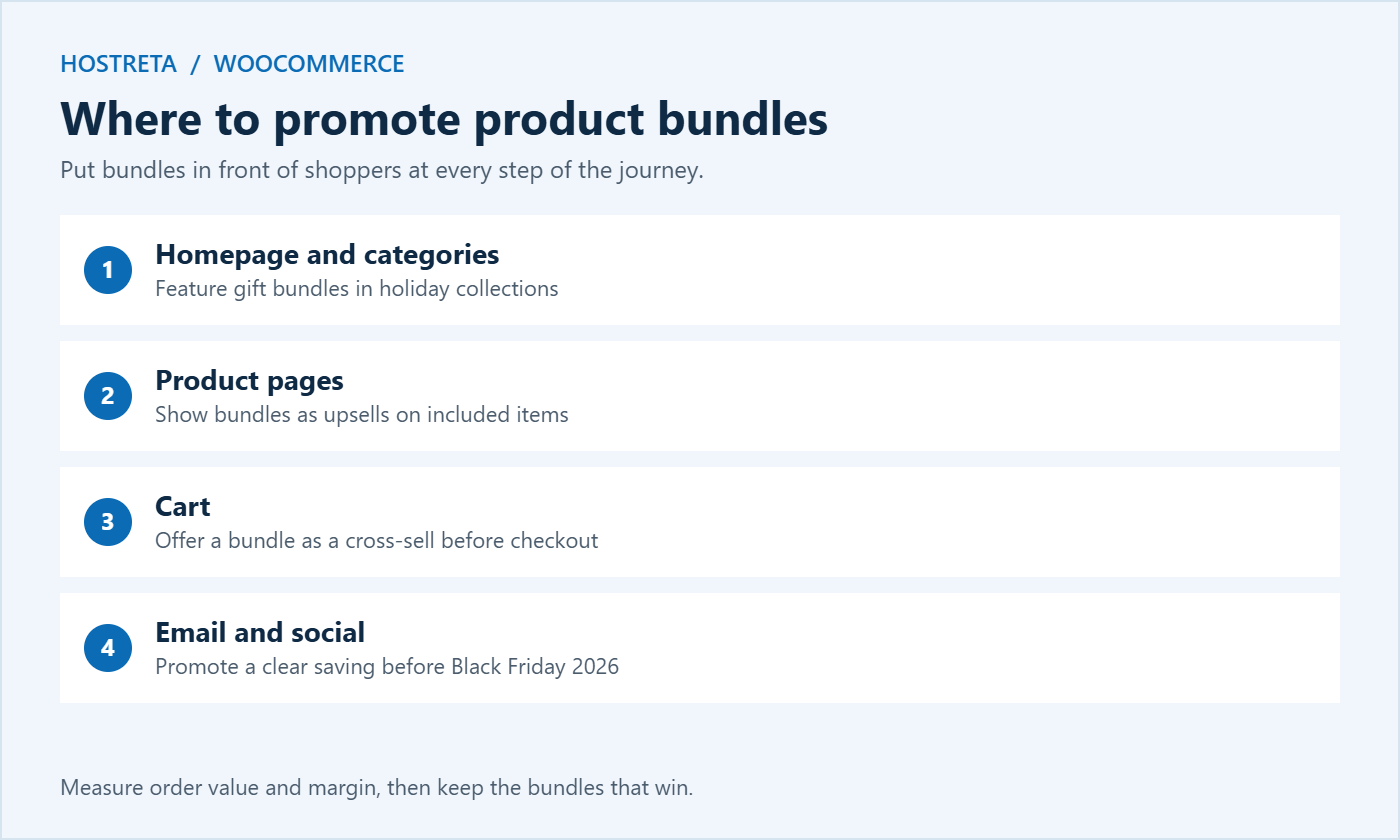
After launch, compare average order value, conversion rate, and margin for orders with and without product bundles. Keep the winners, adjust prices on bundles that sell slowly, and remove any that hurt margin. Small changes, such as a better photo or a clearer saving, often make a big difference. The wider picture is covered in Conversion Rate Optimization: 15 Quick Wins.
Bundle plugins add extra calculations to product pages and the cart: checking stock for every component, recalculating prices, and updating totals when customers change options. On a small shared plan this can slow pages down during busy periods.
If your store needs more room, Kawedma WordPress hosting and managed WordPress hosting powered by Rocket.net are built for WooCommerce, while a Kawedma VPS server or managed VPS hosting gives larger catalogues dedicated resources. Protect checkout with an SSL certificate.
If you would rather have product bundles, payments, and shipping set up by professionals, Kawedma offers a ready e-commerce website design service. New store owners can also start with How to Build an Online Store With WooCommerce.
The best product bundles come from how your customers already shop. Look at your order history for items that are often bought together, then turn the most common pairs into offers. If you need inspiration, these ideas work well for different kinds of stores:
In WooCommerce, export orders from the last six to twelve months and look for products that appear in the same order again and again. Spreadsheet pivot tables make this quick. You can also review your best-selling products and ask a simple question for each one: what does a customer need to get full value from this item? The answer is usually your next bundle. Revisit the list every quarter, because buying habits change with the seasons.
Holiday product bundles need time to build, photograph, and test. Working back from Black Friday on November 27, 2026, a realistic plan looks like this:
Pair this with the countdown in Black Friday Marketing Calendar: A Countdown Plan for Small Stores so bundles launch alongside your other campaigns.
Product bundles don’t have to disappear in January. Turn your best gift sets into permanent starter kits, offer “new year” bundles for fresh routines, and use slow-moving holiday stock in clearance bundles. Keep reviewing performance monthly so your bundles stay profitable all year.
Each bundle is a product page, so it can rank in search like any other page. Give every bundle a descriptive title such as “Beginner Camera Kit with Case and 64 GB Card,” a unique description, and good alt text on the photo. Avoid copying the same text from component products, which creates thin, duplicate content.
Add internal links from guides and category pages to your strongest product bundles, and make sure product schema shows the correct price and availability. A plugin such as Rank Math handles the schema for WooCommerce products automatically. For a full checklist, see On-Page SEO Checklist: Optimize Every Post.
A well-priced bundle can still underperform if the page is confusing. These small details help shoppers say yes:
During the holidays, many product bundles are bought as presents. Offer gift wrapping, a gift message field, and a gift receipt without prices. Mention delivery cut-off dates clearly on bundle pages so shoppers know when to order for Christmas. These touches cost little but can tip a hesitant buyer toward your store instead of a competitor.
Write descriptive alt text for bundle images, use enough colour contrast for price and saving labels, and make sure option selectors work with a keyboard. Accessible product bundles are easier for everyone to use, and they reduce support questions after the sale — see Web Accessibility Basics.
You can use grouped products to show items together, but true product bundles with one price and one add-to-cart button need a plugin.
Most maintained bundle plugins now support the Cart and Checkout blocks, but confirm it in the plugin documentation and test on staging before launch.
Two to five items works best for most stores. Larger product bundles can work for gift boxes, but keep the contents easy to understand.
Not always. Convenience and curation have value on their own. A small, clearly shown saving usually helps, but protect your margin first.
The terms are often used interchangeably. A kit usually means everything needed for one task, while product bundles can be any combination of items sold together. In WooCommerce, both are created the same way with a bundle plugin.
Most bundle plugins let customers choose a size or colour for variable items inside the bundle. Check that each variation has stock, and test the selection on mobile before launch.
A well-coded plugin adds only a little load. Keep the number of options reasonable, use caching and object caching, and make sure your hosting plan has enough resources for holiday traffic.
The distinction between grouped products and true bundles is the part shop owners most often get wrong, so it helps to have it spelled out: a grouped product is just a page of items added one by one, with no bundle price and no linked stock. Of the checks you list, stock handling deserves the most attention. If buying a bundle does not reduce the stock of each component, a busy November can oversell the very bestseller the bundle was built around. Testing on staging with the block checkout catches most of that. We build web software at Jaspero (https://jaspero.co), and this is the kind of guide we would point a shop owner to.
We may earn a commission on purchases made through these links, at no extra cost to you.
Don’t miss the chance to participate in the biggest giveaway of this year.