Marketing

Email Segmentation for Small Businesses Made Simple
Sending the same newsletter to every subscriber is easy, but it’s also why many small business emails get ignored. A first-time visitor, a loyal customer, and someone who only cares about one product don’t want the same message. Email segmentation means splitting your list into groups so each person gets emails that matter to them — and in 2026, it’s also one of the best ways to protect your deliverability.
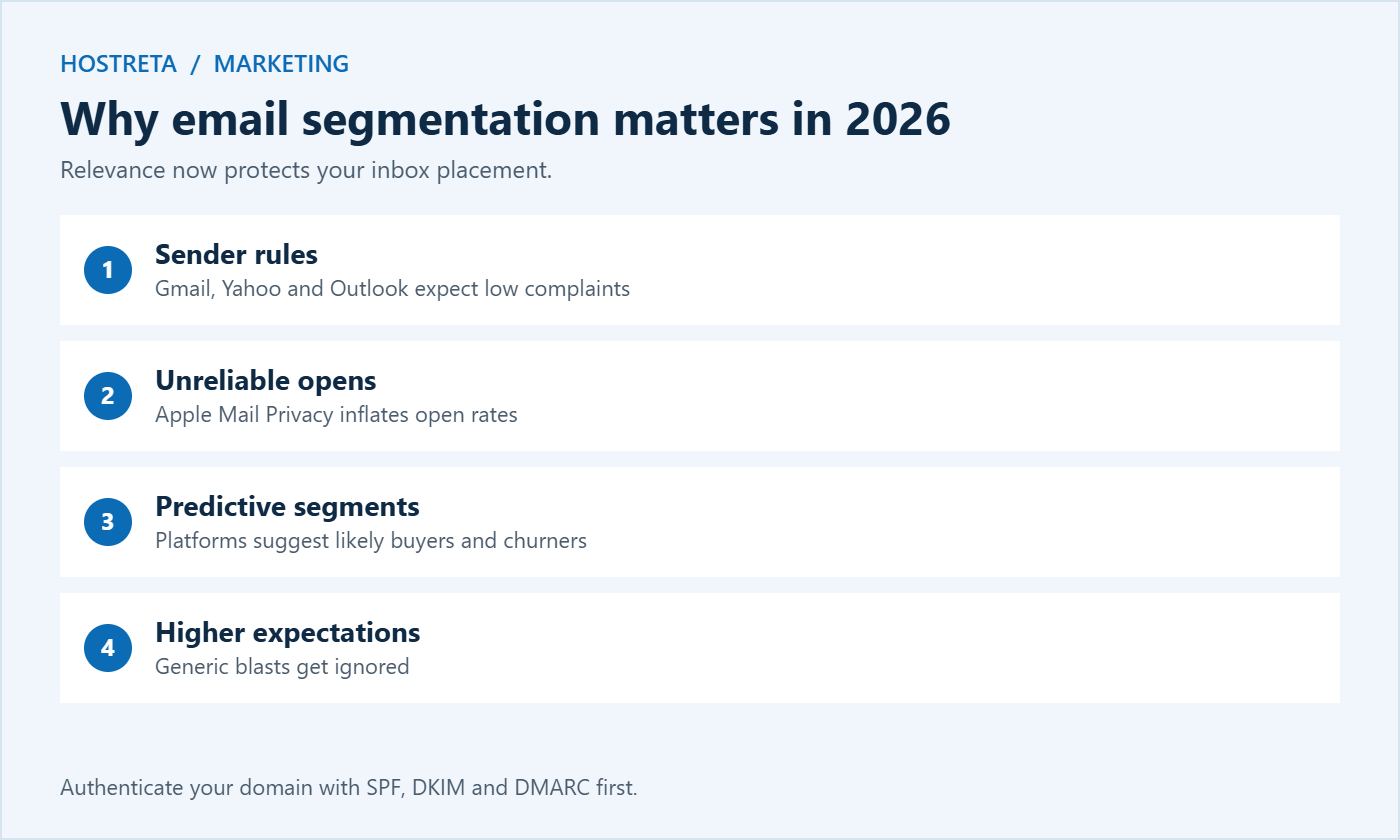
This guide explains what email segmentation means, why it matters more now that Gmail, Yahoo, and Outlook enforce stricter sender rules, easy segments to start with, how to collect the right data, how to write for each segment, automation ideas, and how to measure results.
A segment is a group of subscribers who share something in common. Instead of one big list, you send targeted versions of your emails, or different emails entirely. Common ways to segment:
Authenticate your sending domain before anything else — see Email Deliverability: SPF, DKIM and DMARC in Plain English. A branded business email account or Google Workspace makes this straightforward.
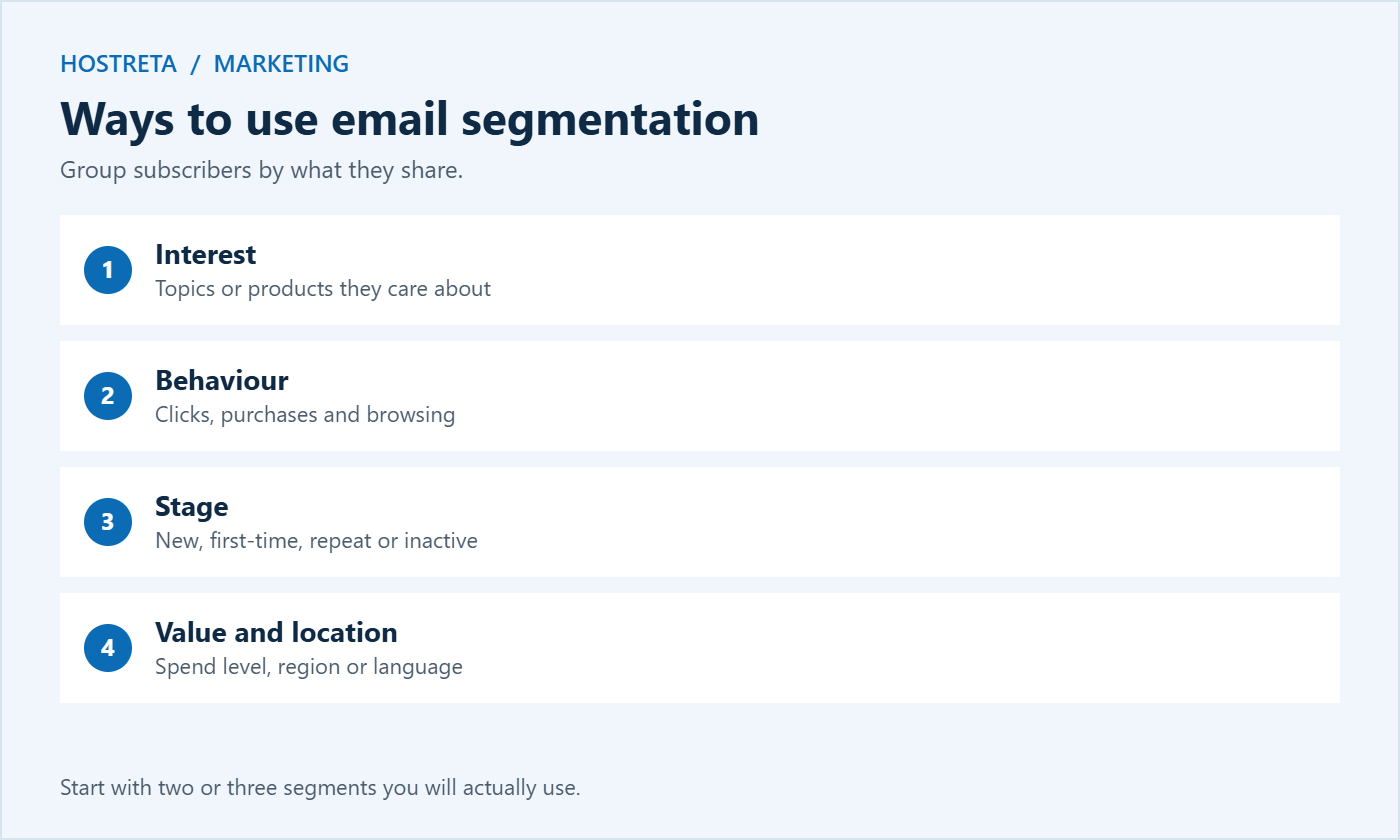
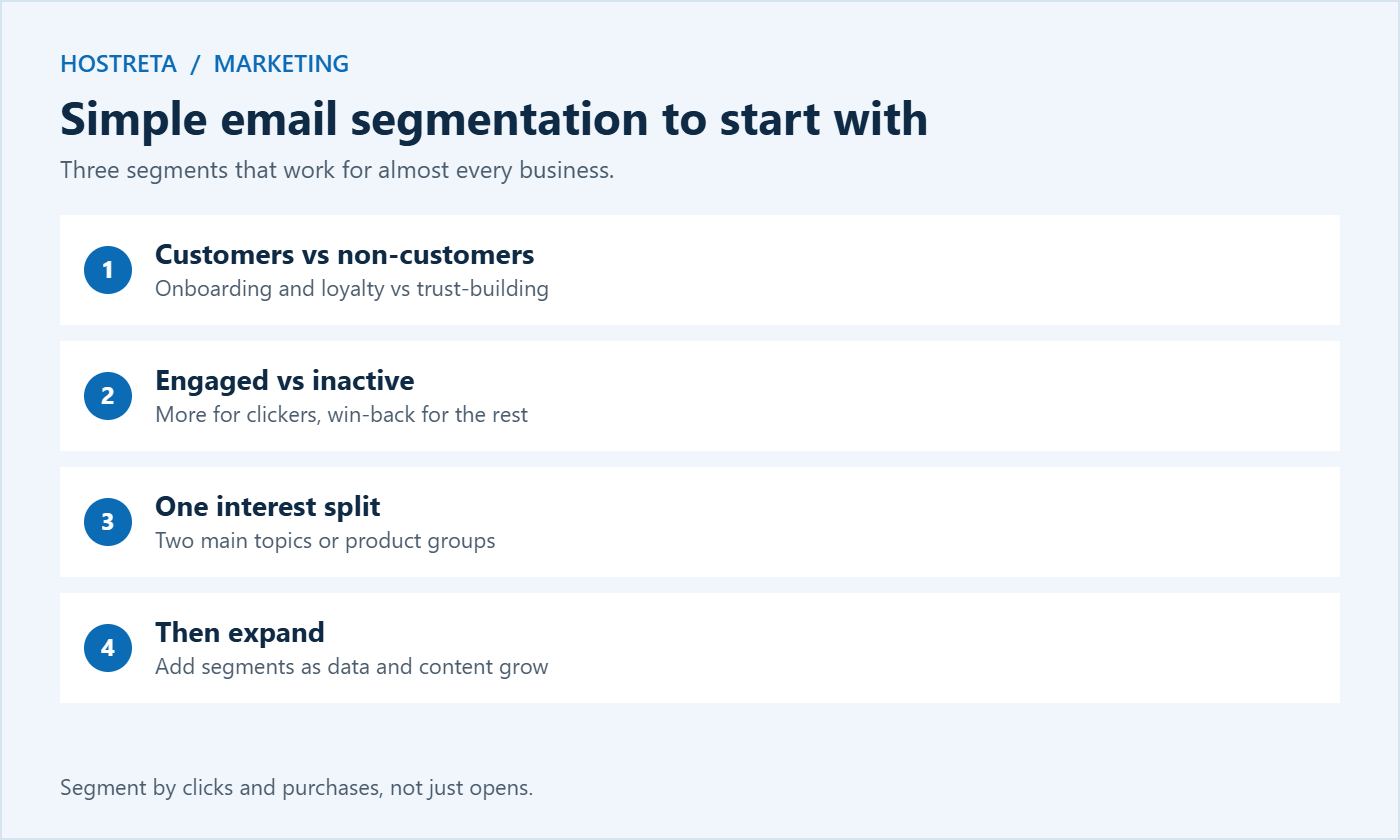
Don’t build twenty segments on day one. Start with two or three:
Once these work well, add more based on what you learn. Simple email segmentation that you actually use beats a complex setup nobody maintains.
Only collect what you’ll actually use, explain why you’re asking, and follow privacy rules such as GDPR — see Privacy Policy and Cookie Consent. Building your first list? See Email Marketing 101: Build Your First List.
Need a platform with good email segmentation and automation? Compare options in Best Email Marketing Platforms for Small Businesses.
If you’ve never segmented a list before, this simple process gets you from one big list to a handful of useful groups in an afternoon.
Most email platforms let you build segments with simple rules such as “has purchased” or “clicked a link in the last 90 days.” Once the rules are set, email segmentation keeps working in the background as people join, click, and buy.
Platforms use these words differently, which confuses many beginners. A list is usually your whole audience. A tag is a label attached to a subscriber, such as “WordPress interest” or “bought hosting.” A segment is a saved filter that groups subscribers by rules, which can combine tags, behaviour, and dates. For most small businesses, the best practice is one main list, many tags, and a few segments built from those tags. Avoid creating separate lists for every group, because it causes duplicates and makes unsubscribes harder to manage.
Pick the two or three segments that match how your customers actually differ, rather than copying a complex setup from a much larger company.
Segments become most powerful when they trigger automatic emails. These automations work well for small businesses:
Each automation is a small piece of email segmentation that runs on its own once set up, saving hours of manual work every month.
Segmentation works best when your emails reliably reach the inbox. Send from your own domain, authenticate it, and keep complaint rates low. A professional business email, enterprise email, or Google Workspace account helps for everyday sending, while your email marketing platform handles bulk campaigns. If you’re setting up a new sending domain, warm it up gradually — see Warm Up a New Email Domain: 7 Essential Checks. To promote your newsletter on social media and grow each segment, a scheduler such as SocialBee keeps posts going consistently.
To see how email segmentation changes your writing, imagine a small hosting and web design business announcing a Black Friday offer on November 27, 2026. The core offer is the same, but each segment gets a different angle:
Subject: Your first website, for less this week
The email explains why a reliable host matters, highlights a beginner-friendly plan, and links to a guide on getting started. The tone is reassuring, with a clear “start here” button.
Subject: A thank-you offer for our customers
The email thanks them for their loyalty, offers early access or an upgrade discount, and suggests useful add-ons such as backups or security scanning.
Subject: Still want to hear from us?
A short note asking whether they’d like to stay subscribed, with the offer included as a reason to come back and an easy unsubscribe link.
Subject: Host more client sites for less
The email focuses on reseller plans, multi-site management, and time savings rather than beginner features.
Each version takes only a few minutes to adapt, but the relevance makes a noticeable difference to clicks and replies. That is the practical value of email segmentation: the same effort, aimed more precisely.
Your segments also reveal what your audience wants to read. If most subscribers choose “WordPress” at signup, that’s a strong signal to publish more WordPress guides. If a segment clicks heavily on security topics, plan more security content. Use these insights to guide your blog calendar, then send each new article to the segment most likely to care about it. Over time, your website content and your email segmentation strategy reinforce each other. Ideas for planning content are in Content Marketing Strategy for Small Businesses, and Marketgoo can help turn those topics into an SEO plan.
Segmentation uses personal data, so handle it responsibly. Tell subscribers what you collect and why, and use the data only for the purposes you described. Avoid collecting sensitive information you don’t need. Under GDPR and similar laws, people can ask what data you hold and request deletion, so keep your tags and segments organised enough to answer quickly. Make your preference center easy to find, so subscribers can change topics or frequency without unsubscribing entirely. Responsible email segmentation builds trust, which in turn improves engagement.
Segments drift as people’s interests and behaviour change. Review them every quarter: remove tags that no longer matter, merge tiny segments, and check that automations still send to the right people. Re-confirm interests occasionally with a short email asking subscribers what they’d like to receive next. A few minutes of maintenance keeps your email segmentation accurate and your messages relevant.
Create a simple monthly report comparing segmented campaigns with your old one-size-fits-all newsletter. Track click rate, conversion rate, revenue per email, unsubscribe rate, and spam complaints for each segment. Most small businesses see higher clicks and fewer unsubscribes within a few months. Share these numbers with your team so everyone understands why the extra effort is worthwhile, and use them to decide which segments deserve more attention next quarter.
Start with two or three and add more only when you have content and data to support them.
Yes. Relevant emails get more clicks and fewer complaints, which mailbox providers reward with better inbox placement.
Yes. Even a list of a few hundred subscribers benefits from separating customers from non-customers and engaged from inactive readers.
Most email platforms include tags, segments, and automation. Connect your website and store so data flows in automatically.
It depends on engagement. Highly engaged customers may welcome weekly emails, while casual subscribers may prefer a monthly roundup. Let behaviour guide frequency rather than sending everyone the same schedule.
Email segmentation groups people with shared traits; personalisation tailors details for each individual, such as their name or last purchase. The two work best together.
Yes. Signup questions, link-click tags, and manual tags for customers all work. A store integration simply automates purchase-based segments.
Try a short re-engagement campaign first. Remove those who don’t respond after a few attempts, because inactive contacts hurt deliverability.
Email segmentation doesn’t require a big team or expensive software. It starts with a simple question: what does this group of subscribers actually want from us? Answer it for two or three groups, write emails that speak to those needs, and measure clicks and sales rather than opens. Add automation as you grow, keep your data tidy, and respect privacy at every step.
Within a few months, you’ll likely see more engagement, fewer unsubscribes, and better inbox placement — all from the same list you already have. Start this week by splitting customers from non-customers, and build from there one segment at a time. Small, steady improvements compound quickly when every email reaches the right people.
Most modern platforms handle tags, segments, and automation well. Choose one that integrates with your website and store, offers clear reporting by segment, and fits your budget as your list grows. Test the segmentation features during a free trial before migrating your whole list, and check how easily you can export your data if you ever need to move. Your choice of platform matters less than using its features consistently.
Relevant emails respect your subscribers’ time, and that respect is repaid with attention, clicks, and loyalty over many years.
Start small, stay consistent, and let the data guide you.
We may earn a commission on purchases made through these links, at no extra cost to you.
Don’t miss the chance to participate in the biggest giveaway of this year.