A blog can run happily on the cheapest shared plan. A store can’t. Every product page, cart update, and checkout runs PHP and queries the database, and much of it can’t be fully cached. Understanding WooCommerce hosting requirements helps you pick a plan that won’t buckle when sales pick up — and helps you spot the warning signs before customers do.
This guide is updated for the current requirements of WooCommerce 10.8 and later. It covers why WooCommerce hosting needs more than a blog, the official PHP, database, and memory requirements, PHP workers, database load and HPOS, storage and inodes, email limits, how to check your current plan, and which type of WooCommerce hosting suits stores of different sizes heading into Black Friday on November 27, 2026.
Sessions: each shopper has their own cart data stored on the server.
Background jobs: scheduled sales, stock updates, emails, webhooks, and abandoned-cart tasks run through Action Scheduler.
Bigger database: orders, customers, and product meta grow continuously.
Payment and shipping integrations make external API calls during checkout.
Traffic spikes during promotions, often driven by email and social campaigns.
A blog with 10,000 visitors a day may serve almost every page from cache. A store with 1,000 visitors a day, where 100 of them add to cart and 20 check out, can put far more real work on the server. That is why WooCommerce hosting is judged by how many uncached requests it can handle, not just by monthly visitor counts.
Official WooCommerce hosting requirements in 2026
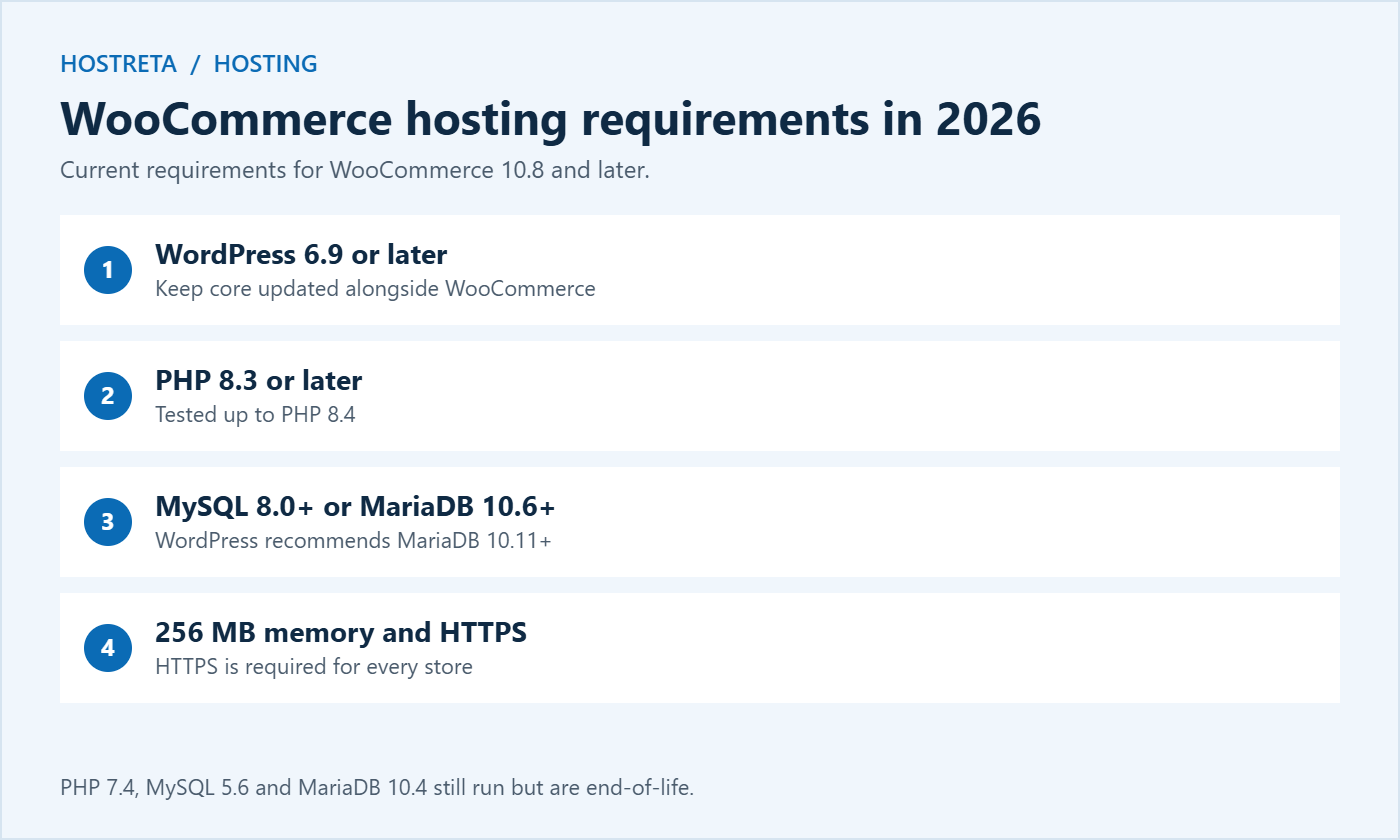
According to WooCommerce’s current server requirements, stores running WooCommerce 10.8 or later should have:
WordPress 6.9 or later.
PHP 8.3 or later. WooCommerce is tested up to PHP 8.4.
MySQL 8.0 or later, or MariaDB 10.6 or later. WordPress itself now recommends MariaDB 10.11 or newer.
A WordPress memory limit of 256 MB or more.
HTTPS support, which is required.
Apache or Nginx as the web server is recommended; LiteSpeed is also widely used.
Older environments such as PHP 7.4, MySQL 5.6, or MariaDB 10.4 can still run WooCommerce, but they are end-of-life and no longer receive security fixes. If your WooCommerce hosting still offers only these versions, it is time to upgrade or move.
Memory limit: at least 256 MB for WordPress. Large catalogues, page builders, and imports may need 512 MB.
Execution time: at least 60 seconds helps with imports, exports, and bulk actions.
max_input_vars: raise it (for example to 3000 or more) if you have products with many variations or large menus.
Required extensions such as mbstring (needed for non-English stores), curl, gd or imagick, zip, and intl.
OPcache enabled, which keeps compiled PHP in memory and speeds up every request.
Check these in WooCommerce → Status, which flags anything below the recommended values. If something is missing, ask your host to change it rather than editing server files yourself.
PHP workers: the hidden WooCommerce hosting limit
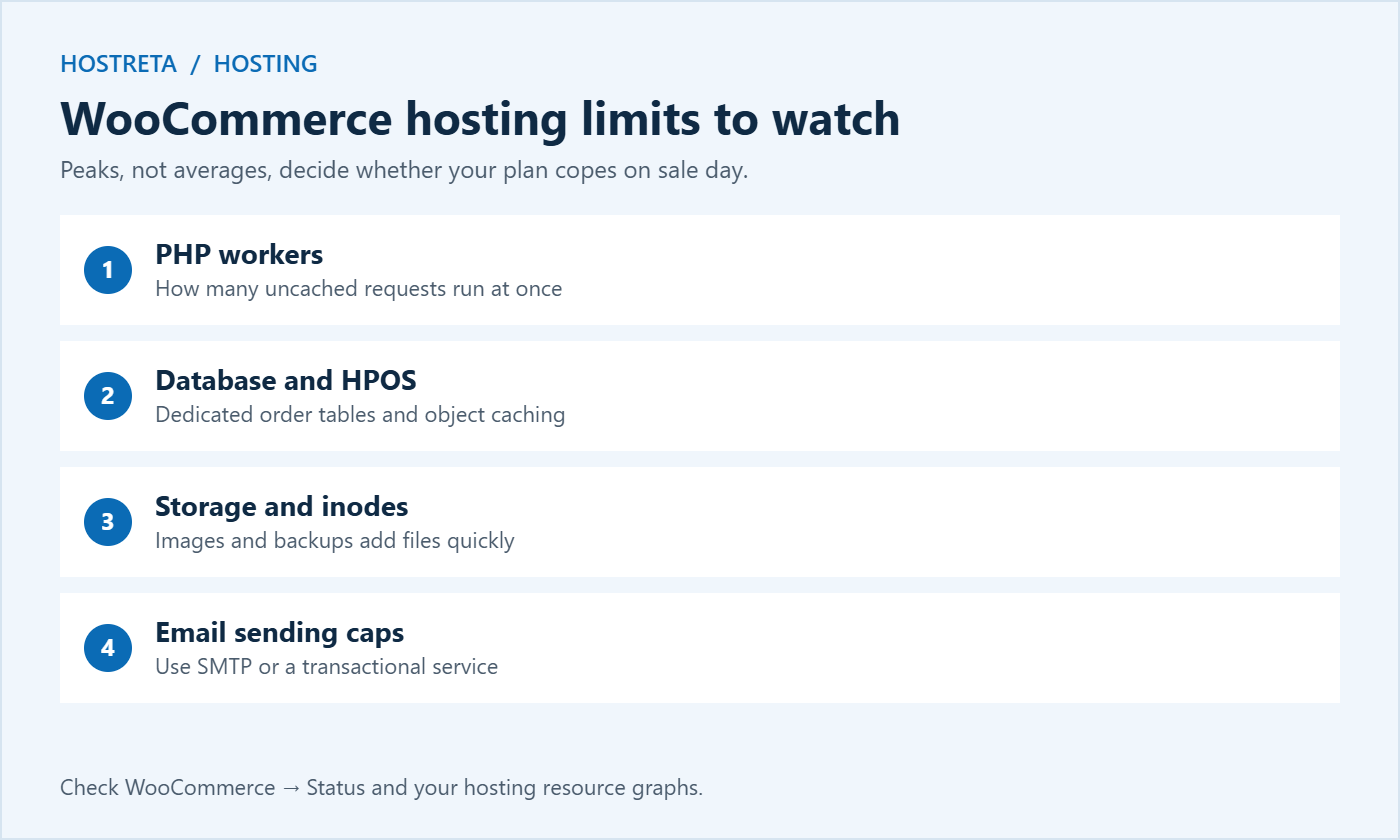
PHP workers (sometimes called entry processes or PHP processes) decide how many uncached requests your server can process at the same time. When all workers are busy, new requests wait in a queue. If the queue gets too long, visitors see slow pages or 503 and 508 errors.
Small stores with modest traffic may manage with 2–4 workers.
Growing stores running sales and ads usually need 4–8 workers.
Busy stores with frequent spikes often need 10 or more, or a VPS where you control the number.
Orders, order items, and product metadata add up quickly — a few thousand orders can mean hundreds of thousands of rows.
WooCommerce’s High-Performance Order Storage (HPOS) stores orders in dedicated tables and has been the default for new stores since WooCommerce 8.2. It is much faster for busy stores. If you are still on legacy storage, check plugin compatibility and enable HPOS on staging first.
Object caching with Redis reduces repeated queries — see Object Caching With Redis: 7 Essential Checks and Redis Object Caching for WooCommerce Stores Explained.
Database version matters: MySQL 8.0 and current MariaDB releases include performance improvements that help larger stores.
Finding slow queries
If pages slow down as your store grows, find out which queries are responsible before upgrading. The free Query Monitor plugin shows slow database queries, the plugins behind them, and how long each request takes — see Query Monitor: 7 Essential Checks for a Safe Investigation. Sometimes one poorly written plugin causes most of the load, and fixing it is cheaper than better WooCommerce hosting.
Storage, inodes, and email limits
Storage: product images multiply into several generated sizes each. Prefer NVMe storage, which makes database work noticeably faster.
Inodes: the total file count, which images, caches, and backups consume fast — see Hosting Resource Limits: 7 Essential Checks for Safe Diagnosis.
How to check your current WooCommerce hosting plan
Open WooCommerce → Status and review the system report for warnings.
Check your hosting panel’s resource graphs for CPU, memory, and entry process usage over the last 30 days.
Ask your host: how many PHP workers do I have, is Redis available, which PHP and database versions are offered, and what are my inode and email limits?
Compare peak usage with your plan limits — if you’re regularly near the ceiling, upgrade before the busy season.
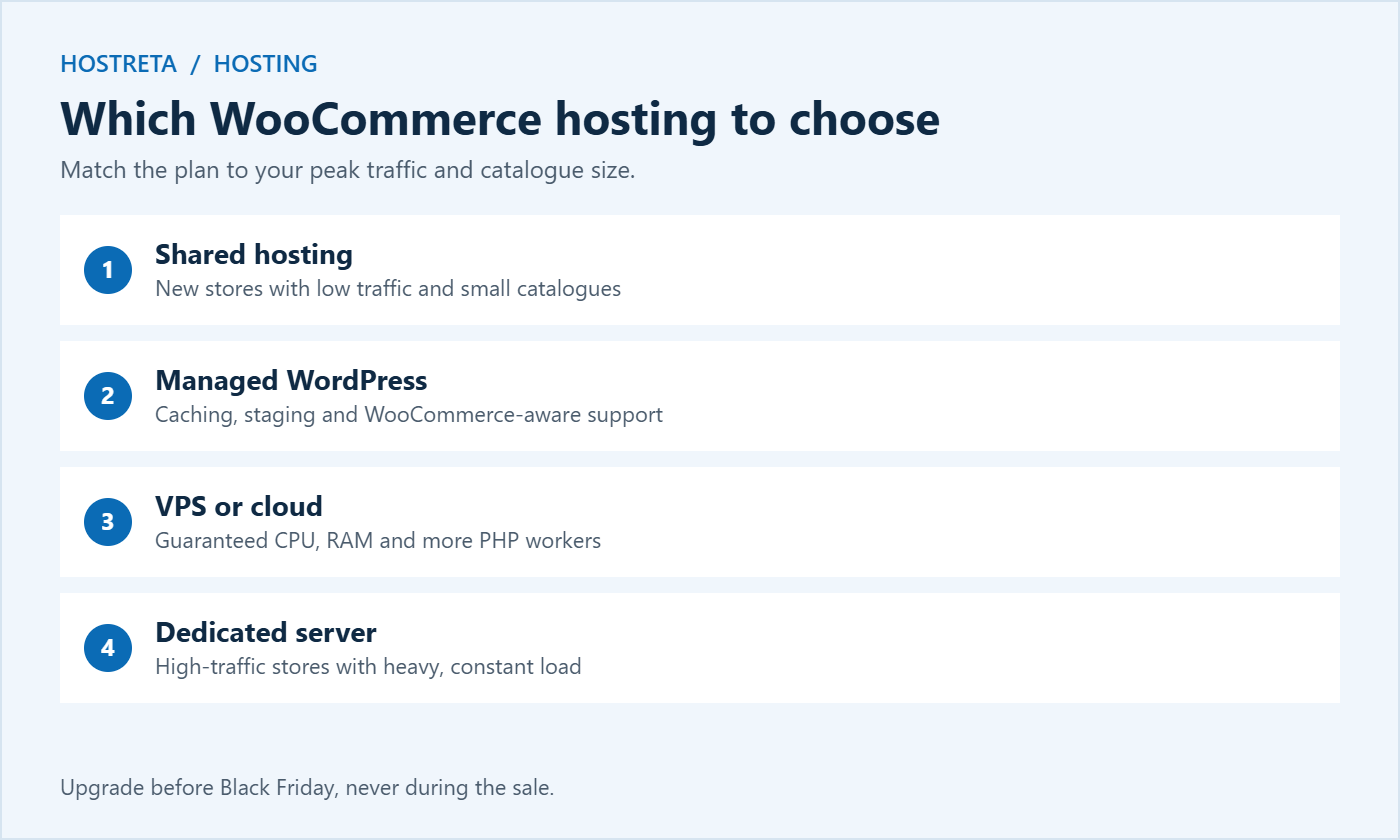
There is no single right plan, because WooCommerce hosting needs depend on traffic, catalogue size, and how much happens in the background. These rough profiles help you place your store:
Starter store: under 100 products, a few orders a day, and one payment method. Good shared WooCommerce hosting with current PHP, 256 MB memory, and daily backups is usually enough.
Growing store: hundreds of products, regular email campaigns, and occasional sales. Managed WooCommerce hosting with server caching, Redis, staging, and at least four PHP workers gives you headroom.
Busy store: thousands of products, daily orders in the hundreds, several integrations, and paid ads. A VPS or cloud plan with dedicated CPU and RAM, more PHP workers, and room to scale is the safer choice.
High-volume store: constant traffic, large catalogues, and complex integrations with ERP or warehouse systems. Dedicated servers or a professionally managed cloud setup are worth the cost.
If you’re between two profiles, choose the larger one before peak season. Downgrading in January is easy; moving WooCommerce hosting in the middle of November is risky.
Estimating your peak load
Look at last year’s busiest hour in your analytics and compare it with a normal hour. Apply your growth rate and add a safety margin for campaigns. Then think about how many of those visitors reach the cart and checkout, because those are the requests that need PHP workers. A store expecting 300 visitors in its peak hour, with 15% reaching the cart, needs WooCommerce hosting that handles 45 active shoppers comfortably at the same time as normal browsing traffic.
Performance features worth paying for
Beyond the official requirements, a few features make a clear difference to real-world speed. When you compare WooCommerce hosting plans, look for:
Server-level page caching that automatically excludes cart, checkout, and account pages.
Redis or Memcached object caching included in the plan, not as an expensive add-on.
Staging sites so you can test updates before they reach customers.
A real server cron instead of WP-Cron, so scheduled sales and emails run on time — see Real Cron Job: 7 Essential Checks.
A WooCommerce hosting plan with these features often outperforms a larger plan without them, because it reduces the work each request needs.
Support and uptime: the requirements nobody lists
Technical specifications are only half of good WooCommerce hosting. When something breaks during a sale, the quality of support decides how long you stay offline. Before you commit, check:
24/7 support by chat or phone, with staff who understand WordPress and WooCommerce.
Honest renewal pricing — see Hosting Renewal Prices Explained.
Add independent monitoring such as 360 Monitoring so you know about problems before customers report them, whichever WooCommerce hosting provider you choose.
Preparing your WooCommerce hosting for Black Friday 2026
Review requirements now: confirm PHP 8.3+, a supported database, and 256 MB or more memory.
Check peak usage against your plan limits and upgrade by mid-November if needed.
Enable object caching and HPOS on staging, test, then apply to the live store.
Load test and fix bottlenecks before your code freeze.
Confirm backups and monitoring are running, then stop making changes until the sale is over.
Following these steps means your WooCommerce hosting is ready for the busiest days of the year, rather than discovering its limits while customers are trying to pay.
Common WooCommerce hosting mistakes
Choosing by price alone. The cheapest WooCommerce hosting plan often has strict limits on PHP workers and inodes that only show up under load.
Ignoring renewal costs. A low first-year price can double or triple at renewal.
Running outdated PHP. Old versions are slower and no longer receive security fixes.
Caching the wrong pages. Caching cart or checkout pages causes empty carts and wrong totals.
Sending all email from the server. Hosting email limits can block order confirmations during a sale.
Upgrading during the sale. Changes to WooCommerce hosting should happen weeks before peak days, with time to test.
Keeping backups only on the same server. If the account fails, the backups go with it.
When to move to a new host
Consider moving when your host can’t offer current PHP and database versions, refuses to share PHP worker limits, has repeated outages, or provides slow support during incidents. Plan the move at least three to four weeks before a major sale, lower DNS TTL in advance, test the store fully on the new server, and switch during a quiet hour. A domain and hosting from one provider can also simplify management — Kawedma offers domain registration and domain transfers alongside its hosting plans.
Frequently asked questions
What PHP version does WooCommerce need in 2026?
WooCommerce recommends PHP 8.3 or later and is tested up to PHP 8.4. Older versions still run but are end-of-life and unsafe.
How much memory does WooCommerce need?
At least 256 MB for the WordPress memory limit. Stores with large catalogues, many extensions, or page builders often benefit from 512 MB.
Is shared hosting enough for WooCommerce?
For a small new store, often yes. Once you run regular promotions or see slowdowns at busy times, managed WordPress or VPS WooCommerce hosting is usually worth the upgrade.
Do I need Redis for WooCommerce?
It isn’t required, but object caching with Redis noticeably speeds up carts, accounts, and the admin area on busier stores.
How do I know if my WooCommerce hosting is too slow?
Signs include slow admin pages, checkout taking more than a few seconds, 503 or 508 errors at busy times, and resource warning emails from your host. Test pages when the site is quiet and again under load to see whether the problem is capacity or code.
Does WooCommerce hosting location matter?
Yes. Choose a data centre close to most of your customers, and use a CDN to serve images and files quickly to visitors further away. Lower latency makes every page and checkout step feel faster.
Can I run WooCommerce on a website builder plan?
Most website builders don’t support WooCommerce, which needs a full WordPress installation. Choose WordPress or WooCommerce hosting that gives you control over plugins, PHP settings, and the database.
Meeting these requirements is not a one-time task. Review your WooCommerce hosting every few months, especially before major sales, so your store keeps pace with new WooCommerce releases and growing traffic.
Key takeaways
Meet the current requirements: WordPress 6.9+, PHP 8.3+, MySQL 8.0+ or MariaDB 10.6+, 256 MB memory, and HTTPS.
Ask about PHP workers — they limit how many shoppers can check out at once.
Use HPOS and object caching to keep the database fast.
Watch inodes, storage, and email sending limits.
Choose WooCommerce hosting that matches your peak traffic, not your average.