Hosting

Should You Upgrade Your Hosting Plan Before Black Friday?
Nobody wants to pay for hosting they don’t need. But nobody wants their store to fall over at 9pm on Black Friday either. The question isn’t “is my hosting good enough?” — it’s “is my hosting good enough for the busiest hour of the year?” Whether you need to upgrade your hosting plan is something you can answer with data, not guesswork.
Black Friday 2026 falls on Friday, November 27, with Cyber Monday on November 30. Many stores now run “Black November” promotions that start weeks earlier, so the pressure on your server begins well before the big weekend. That leaves little room for last-minute changes.
This guide covers the signs your plan is too small, how to read your usage, estimating holiday traffic, the hosting options worth considering in 2026, how to compare costs, and when to make the change. By the end you will know whether to upgrade your hosting plan, optimise what you have, or leave things alone.
Shopping habits have shifted in ways that make hosting capacity more important than it was a few years ago. Most holiday traffic now arrives on mobile, often from social media and email links that send bursts of visitors within minutes. A single email campaign to a few thousand subscribers can create a spike far larger than your normal daily peak.
At the same time, store pages have become heavier. Product galleries, review widgets, live chat, tracking scripts, and payment buttons all add work for the server and the browser. WooCommerce carts and checkouts cannot be cached like ordinary pages, so every shopper who adds to cart creates real load on PHP and the database.
Search engines and shoppers are also less forgiving of slow pages. Google’s Core Web Vitals reward sites that load and respond quickly, and buyers abandon carts when checkout hangs. If you are on the edge of your limits, the cost of not acting is lost revenue on the days that matter most. That is why it pays to decide early whether to upgrade your hosting plan.
One slow page is usually a code problem. Slowness that tracks traffic is a capacity problem. If two or more of these signs appear on ordinary days, treat it as a strong hint to upgrade your hosting plan before the holiday rush rather than after it.
Before you spend money, rule out the cheap fixes. A plugin running a heavy database query on every page, an uncached homepage, or an oversized image slider can make any plan feel too small. Test a few pages when the site is quiet. If they are slow even with no visitors, you have an optimisation job first. If they are fast when quiet but slow under load, more resources will help, and it may be time to upgrade your hosting plan.
If you regularly touch 80–90% of any limit on a normal day, a sale will push you over — and that is the clearest signal to upgrade your hosting plan before the rush. For reference, check your setup against the official WooCommerce server requirements and the current WordPress hosting requirements.
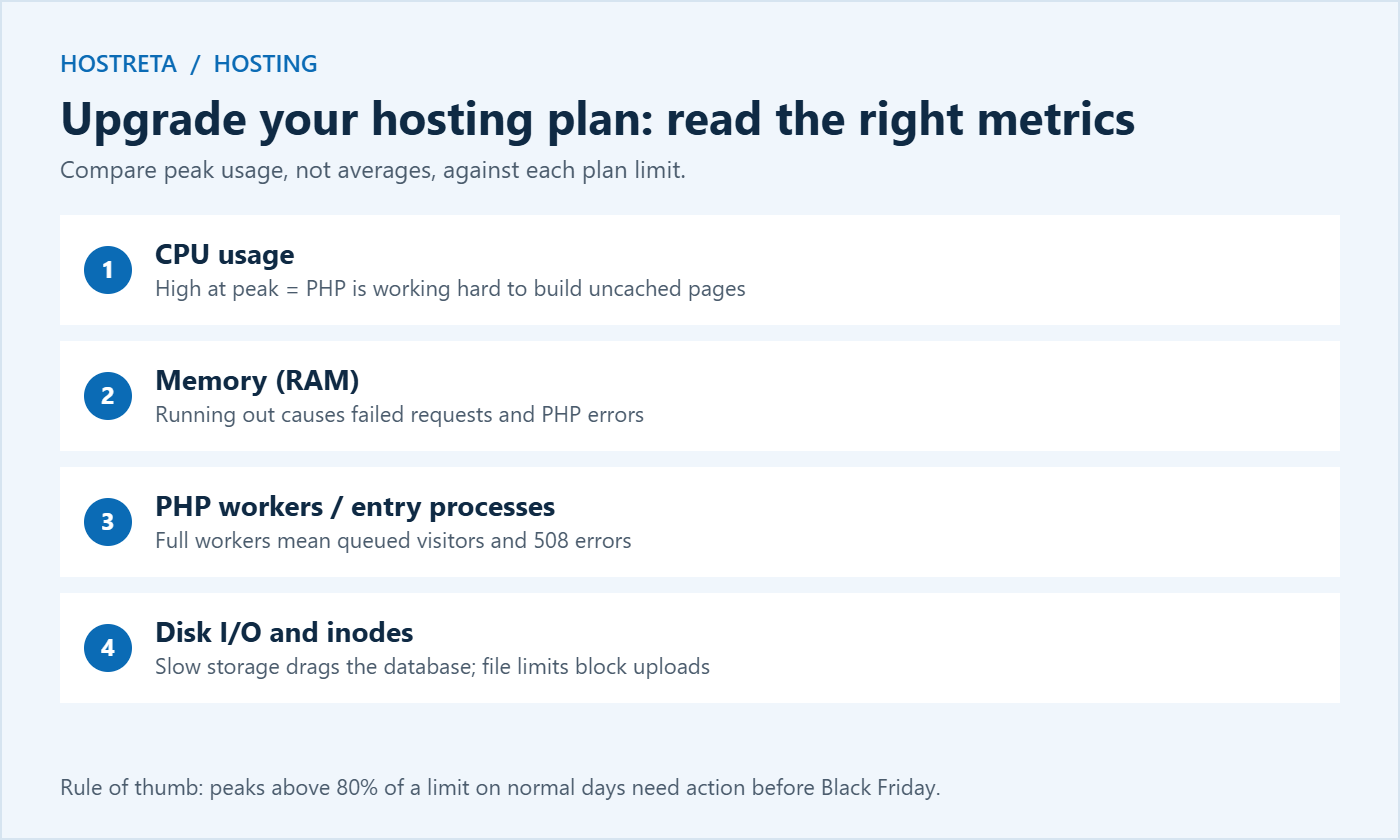
Before you upgrade your hosting plan, write down the peak value for each metric and the plan limit next to it. This simple table is the evidence you need to decide whether to upgrade your hosting plan, and it makes conversations with your host much faster.
Imagine your store had 120 visitors in its busiest hour last Black Friday, compared with 20 in a normal hour. That is a 6× spike. Your traffic has grown 40% this year, so the expected peak is about 170 visitors per hour. Add a 50% safety margin for a successful email campaign and you should plan for roughly 250 visitors in the peak hour.
Not all of those visitors cost the same. Shoppers browsing cached category pages are cheap; shoppers adding to cart, applying coupons, and checking out are expensive. If 10–15% of peak visitors reach the cart, those are the requests that need free PHP workers. When your load test shows errors below your planned peak, that is your cue to upgrade your hosting plan or reduce the work each request does.
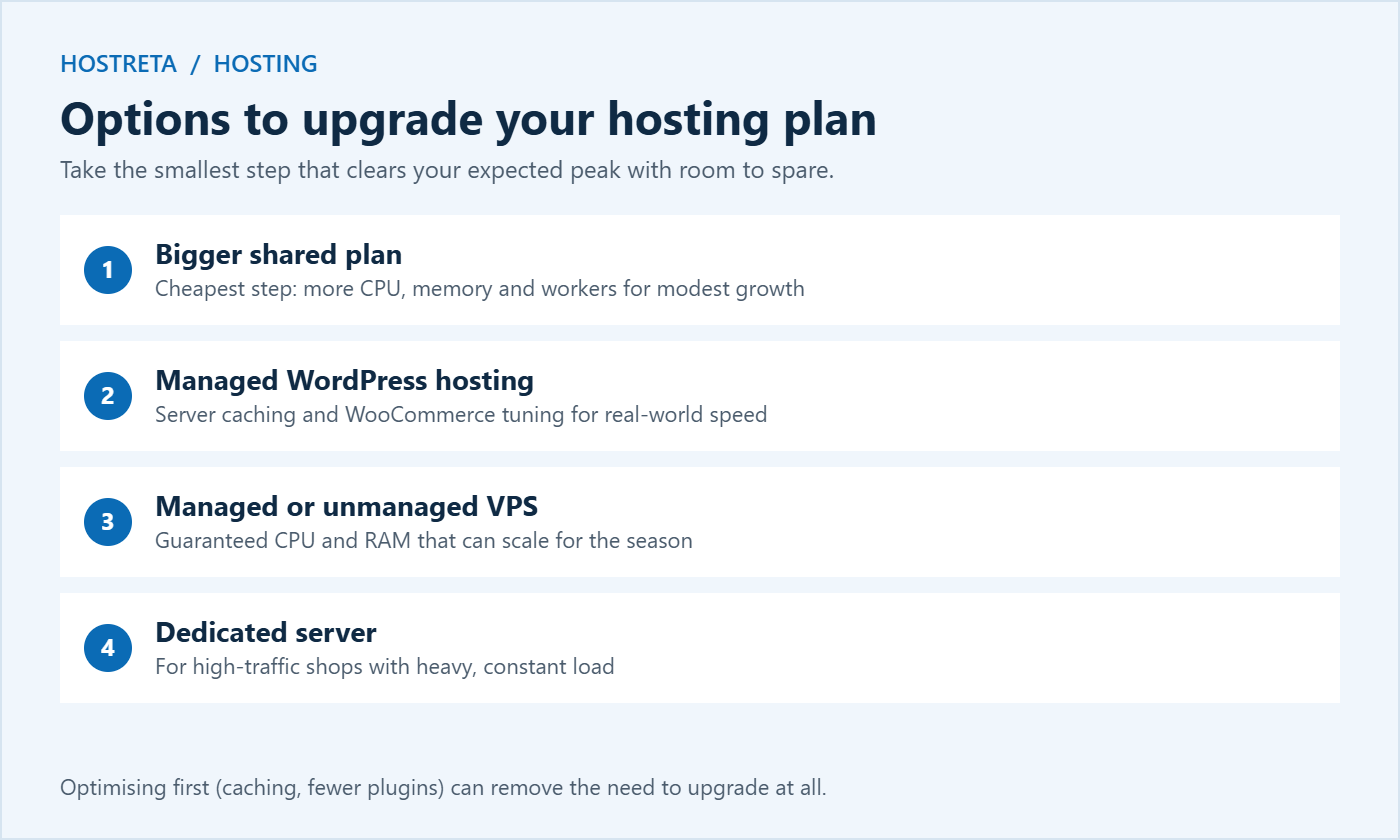
Shared hosting is the most affordable and works well for small stores with steady traffic, but you share resources with other sites and limits are strict. Managed WordPress hosting adds server caching, automatic updates, staging, and support that understands WooCommerce; it usually handles traffic spikes much better than a basic shared plan. A VPS or cloud server gives you guaranteed CPU and RAM and lets you scale for the season, but you either manage the server yourself or pay for a managed VPS.
For most growing stores, the smoothest path is one step up: from basic shared to a larger shared or managed WordPress plan, or from managed WordPress to a managed VPS. Jumping straight to a dedicated server is rarely needed unless you already have very high traffic.
If your numbers say it is time, pick the smallest step that clears your peak with room to spare. These are the options we recommend, from the lightest to the most powerful:
Whichever you choose, add an SSL certificate, malware scanning such as SiteLock, and uptime monitoring such as 360 Monitoring, so you know the moment anything slows down during the sale.
Raw CPU and memory numbers matter, but the features around them decide how well a plan copes on sale day. When you upgrade your hosting plan, check that the new plan includes the following:
A plan with these features often outperforms a “bigger” plan without them. That is why it is worth reading the feature list carefully, not just the resource numbers, before you upgrade your hosting plan.
Clear answers to these questions tell you whether you can upgrade your hosting plan with confidence, or whether a different host would serve your store better in 2026.
The monthly price on a pricing page is only part of the story. Before you upgrade your hosting plan, compare the total cost over the period you actually need the extra capacity.
A useful rule: if the extra hosting cost for November and December is less than one good hour of sales, it is usually worth paying for the headroom.
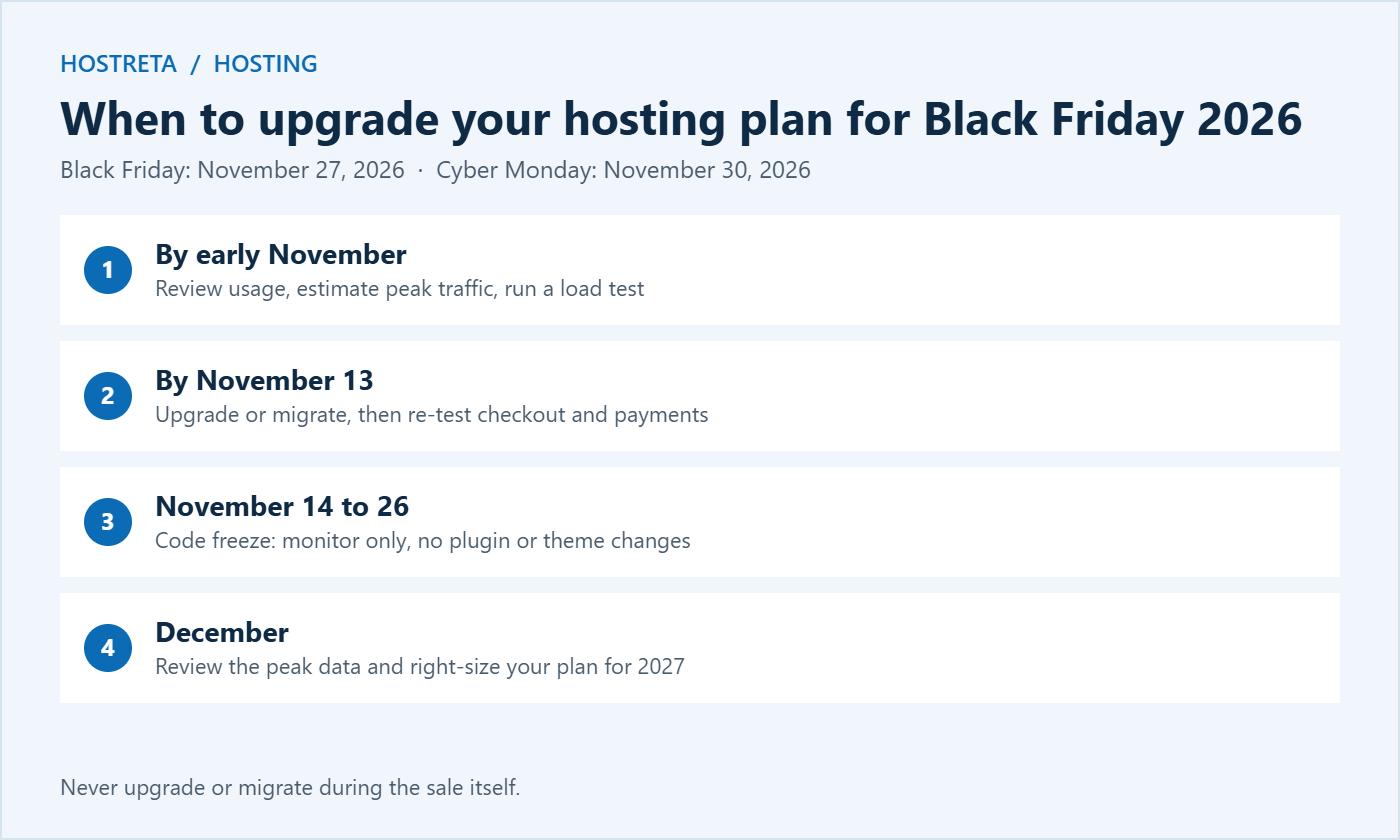
Following this checklist means that when you upgrade your hosting plan, you know exactly what improved and you can roll back quickly if something unexpected happens.
Upgrading is not always the right answer. If your peaks sit well below your limits, your load test passes comfortably above your expected traffic, and pages are fast under load, extra resources will not make much difference. Spend the time and money on conversion instead: faster images, clearer product pages, and a smoother checkout.
Likewise, if one plugin or a slow external API is causing the problem, a bigger plan only hides it until the next spike. Fix the root cause first, then decide whether you still need to upgrade your hosting plan for the extra headroom.
Did you upgrade your hosting plan for the holidays? Then the weeks after the sale are the best time to check whether it paid off.
Once the holiday rush is over, look at your resource graphs again. Note the real peak, how close you came to the limits, and any errors. This data makes next year’s decision far easier.
If you chose monthly billing or a temporary boost, you can scale back in January. If your store grew and the new plan was busy even on normal days, keep it. The goal is a plan that matches your real traffic, not the biggest plan you can afford.
Aim for at least two weeks before your first sale email. For Black Friday 2026 on November 27, that means completing the change by around November 13, leaving time to test and fix issues.
Only if resources are the bottleneck. If pages are slow when the site is quiet, optimisation will help more. If they slow down only under load, it is worth choosing to upgrade your hosting plan.
For most stores, yes. If you upgrade your hosting plan to managed WordPress, server-level caching, tuned PHP, and WooCommerce-aware support usually give a bigger real-world improvement than simply adding CPU to a basic shared plan.
Usually, yes, especially on monthly billing. Check your host’s terms before you upgrade your hosting plan so you know whether downgrades are free and instant.
We may earn a commission on purchases made through these links, at no extra cost to you.
Don’t miss the chance to participate in the biggest giveaway of this year.