HowTo

How to Add Upsells and Cross-Sells in WooCommerce
Getting more traffic is hard work. Getting more from the visitors you already have is often easier — and WooCommerce upsells and cross-sells are the simplest way to do it. WooCommerce has both built in, and most stores never use them properly.

This guide is updated for 2026, including block themes and the block-based Cart. It covers the difference between upsells and cross-sells, how to set them up, how they display in modern WooCommerce, choosing the right products, placement tips, plugins for advanced offers, holiday strategies for Black Friday on November 27, 2026, and tracking the impact.

WooCommerce upsells vs cross-sells

  • Upsell: a better or more expensive alternative to the product being viewed. Shown on the product page, usually as “You may also like.” Example: the 1TB model instead of the 512GB one.
  • Cross-sell: a complementary product shown in the cart. Example: a case and screen protector alongside the phone.

Upsells aim higher; cross-sells add on. Both are built into WooCommerce with no plugin required. Used together, WooCommerce upsells and cross-sells help customers find the right product and everything they need to use it.

Related products are different

WooCommerce also shows “Related products” automatically, based on shared categories and tags. You can’t choose them individually in core WooCommerce. Upsells and cross-sells are hand-picked, which makes them far more targeted and usually more effective.

Setting up WooCommerce upsells and cross-sells

  1. Edit a product and open Product data → Linked Products.
  2. In Upsells, add the better alternatives you’d suggest to someone viewing this product.
  3. In Cross-sells, add the accessories you’d suggest once this product is in the cart.
  4. Update the product.
  5. Repeat for your bestsellers first — they generate the most views.

For bulk setup across many products, use the tools in Bulk Edit Posts: 7 Essential Checks for a Safe Update. WooCommerce describes the fields in its managing products documentation.
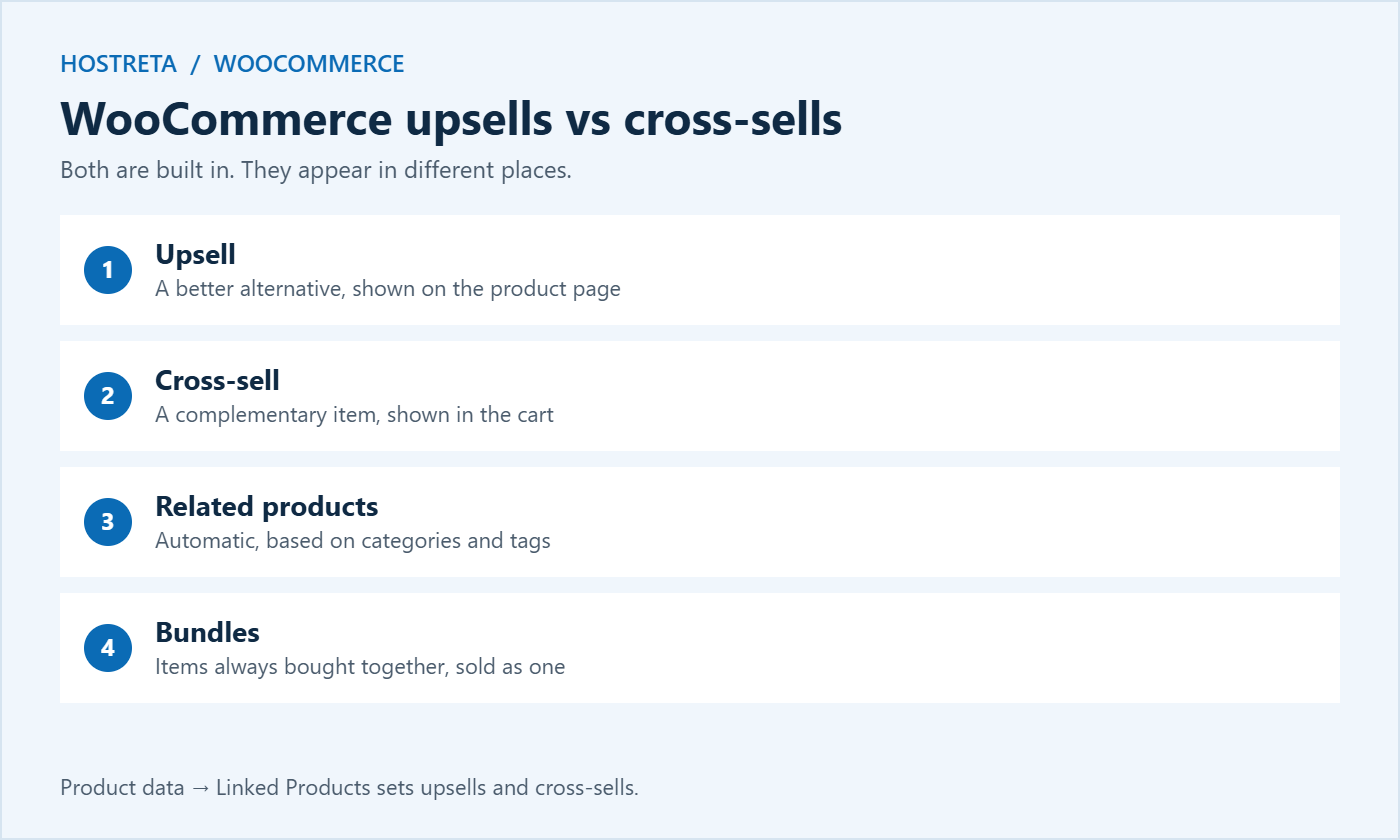
WooCommerce upsells vs cross-sells and related products

How WooCommerce upsells display in block themes

Classic themes show upsells below the product summary and cross-sells under the cart table automatically. Block themes and the block-based Cart work slightly differently:

  • Product pages: the single product template can include a Product Collection block set to show upsells. If upsells don’t appear, edit the template in the Site Editor and add it.
  • Cart: the Cart block includes a Cart Cross-Sells section that you can show, hide, or move.
  • Checkout: cross-sells aren’t shown by default, which keeps the payment step focused.

After setting up linked products, check a product page and the cart on both desktop and mobile to confirm the suggestions appear where you expect. Block editing is covered in Full Site Editing: 7 Essential Checks for a Safe Redesign.

Choosing the right products

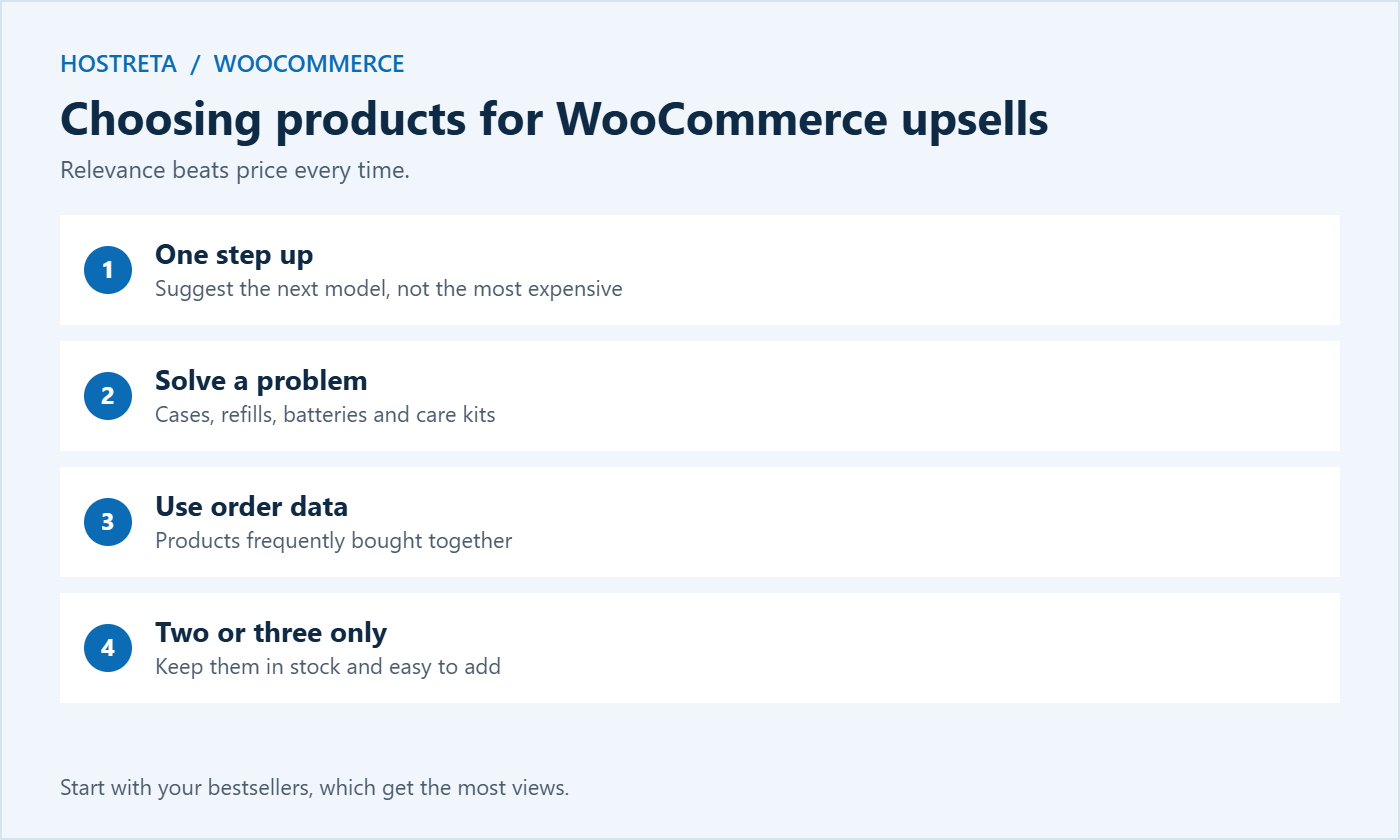
  • Relevance beats price. A genuinely useful accessory converts better than an expensive unrelated item.
  • Upsells: suggest one step up, not three. A huge jump feels like a hard sell.
  • Cross-sells: pick items that solve a problem the main purchase creates — batteries, refills, cases, care kits.
  • Use your own data: check which products are frequently bought together in your order history.
  • Limit to two or three suggestions. More creates hesitation.
  • Keep them in stock, or they’re wasted space — see Best WooCommerce Inventory Management Plugins.

If the same items always go together, consider selling them as a bundle instead — see How to Set Up Product Bundles in WooCommerce.
Display and placement tips

  • Product page: place upsells below the description, not above the add-to-cart button.
  • Cart page: show cross-sells near the totals, where shoppers pause.
  • Use a short reason: “Protects the screen from day one” beats a bare product grid.
  • Show price and an add-to-cart button so adding takes one click.
  • Keep checkout clean. Don’t add distractions once the customer is paying — see How to Improve WooCommerce Checkout Speed.
  • Test on mobile, where extra blocks push the buy button far down the page.

How to choose products for WooCommerce upsells and cross-sells

Plugins for advanced WooCommerce upsells

Core WooCommerce covers simple linked products. Plugins add more ways to make offers:

  • Frequently bought together boxes with checkboxes and a combined price on the product page.
  • Order bumps: a small tick-box offer on checkout, such as gift wrapping or an extended warranty.
  • Post-purchase one-click offers shown after payment, with no need to re-enter card details.
  • Dynamic recommendations based on cart contents or past purchases.
  • Funnel builders such as CartFlows or FunnelKit for complete sales flows.

Choose tools that support the block checkout and HPOS, test on staging, and keep offers relevant. Discount tools are compared in WooCommerce Coupon Plugins: 7 Essential Checks.

WooCommerce upsells for the holidays

  • Gift add-ons: gift wrapping, greeting cards, or gift boxes as cross-sells.
  • Stocking fillers: low-priced accessories in the cart.
  • Premium versions of popular gifts as upsells.
  • Free shipping nudges: suggest a small item that takes the cart over your free shipping threshold.
  • Bundles as upsells on individual product pages.

Feature these in gift guides too — see Gift Guide Content: How to Create Posts That Sell.

Tracking the impact

  • Watch average order value before and after.
  • Check WooCommerce Analytics for products often bought together.
  • Compare conversion rate too — if it drops, your suggestions are distracting rather than helping.
  • Try different suggestions on your top products and keep what works.
  • Review every few months as your catalogue changes.

More ways to lift revenue from existing traffic are in Conversion Rate Optimization: 15 Quick Wins.
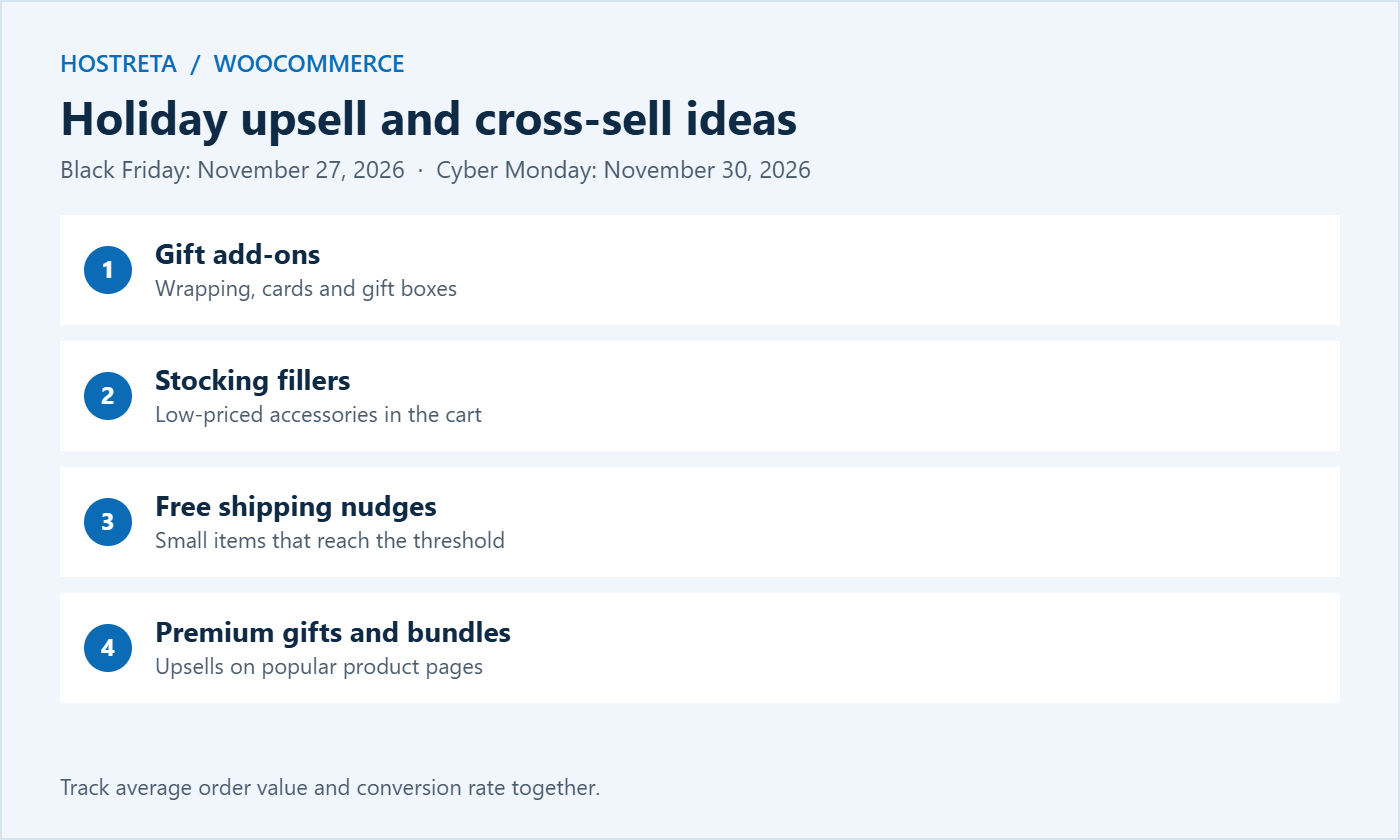
Holiday upsell and cross-sell ideas for WooCommerce

Writing persuasive WooCommerce upsells

A grid of products with no explanation is easy to ignore. A short, helpful line turns a suggestion into advice. When you set up WooCommerce upsells and cross-sells, think about the message each one sends:

  • Explain the benefit: “Twice the storage for photos and videos” for an upsell; “Keeps it charged on the go” for a cross-sell.
  • Use comparisons carefully: showing the price difference (“just $20 more”) makes an upgrade feel reasonable.
  • Highlight popularity: “Most customers add this” works when it’s true.
  • Keep the tone helpful, never pushy or guilt-based.
  • Match your brand voice across product pages and the cart.

Many themes and plugins let you change the heading above WooCommerce upsells from “You may also like” to something more specific, such as “Upgrade your setup” or “Complete your order.” Small wording changes often improve click-through. Copywriting tips are in How to Write Product Descriptions That Sell.

A step-by-step plan for your catalogue

  1. Export your best-selling products and list the top 20 by revenue or views.
  2. Review order history to find items frequently purchased together.
  3. Assign one or two upsells to each best-seller: the next tier up or a premium version.
  4. Assign two or three cross-sells to each: accessories, consumables, or protection.
  5. Check stock levels so every suggestion is available.
  6. Test product pages and the cart on desktop and mobile.
  7. Record average order value for the next four weeks and compare with the previous four.
  8. Expand to more products once you see what works.

This approach focuses effort where it matters most. Twenty well-chosen products often account for a large share of your revenue, so getting their WooCommerce upsells right delivers most of the benefit.

Upsells for digital products and services

Upsells aren’t only for physical goods. Digital stores can offer extended licences, premium templates, or bundles of related downloads — see WooCommerce vs Easy Digital Downloads. Service businesses can suggest faster delivery, extra revisions, or ongoing maintenance — see How to Sell Services on Your WordPress Site. A web designer, for example, might cross-sell hosting, a domain, and an SSL certificate with every new website. Kawedma offers exactly these services — WordPress hosting, domains, and SSL certificates — and agencies can resell them through reseller hosting.

Common mistakes with WooCommerce upsells

  • Suggesting unrelated products just because they’re expensive.
  • Too many suggestions that overwhelm shoppers.
  • Out-of-stock items in upsell and cross-sell slots.
  • Distractions on checkout that slow down payment.
  • Never reviewing suggestions as products and seasons change.
  • Measuring only order value, without checking whether conversion rate fell.

Using email for upsells and cross-sells

Your store pages aren’t the only place to suggest extras. Email lets you offer the right product at the right time after purchase:

  • Order confirmation emails can include a small “customers also bought” section, kept secondary to the order details.
  • Follow-up emails a week or two after delivery can suggest accessories or refills.
  • Replenishment reminders for consumables, timed to when the customer is likely to run out.
  • Upgrade offers for customers who bought an entry-level product months ago.
  • Abandoned cart emails can include a relevant cross-sell, but keep the main focus on recovering the cart — see Best Abandoned Cart Plugins for WooCommerce.

Segment these emails by what customers bought so every suggestion is relevant — see Email Segmentation for Small Businesses Made Simple. Send them from your own authenticated domain with a business email account so they reach the inbox.

Testing and improving WooCommerce upsells

Treat upsells as an ongoing experiment rather than a one-time setup:

  1. Pick one best-seller and change its upsell or cross-sell suggestions.
  2. Run the change for two to four weeks to collect enough data.
  3. Compare add-to-cart rate for the suggested products, average order value, and conversion rate.
  4. Keep the winner and apply the lesson to similar products.
  5. Repeat with headings, placement, and the number of suggestions.

Even small improvements compound across hundreds of orders. A store with an average order value of $60 that adds a $10 cross-sell to one in five orders raises its average by $2 per order — meaningful revenue over a busy season.

Performance considerations

Upsell and cross-sell blocks add product queries and images to each page. Keep them light: use appropriately sized product images, limit the number of suggestions, and enable object caching on busy stores — see Redis Object Caching for WooCommerce. Fast hosting helps too: Kawedma WordPress hosting and managed WordPress hosting powered by Rocket.net keep product pages and carts quick, while a Kawedma VPS server suits larger catalogues.

WooCommerce upsells by store type

  • Electronics: WooCommerce upsells to higher storage or newer models; cross-sells for cases, chargers, and warranties.
  • Fashion: upsells to premium fabrics or limited editions; cross-sells for matching accessories, belts, or care products.
  • Beauty: upsells to larger sizes or sets; cross-sells for complementary steps in a routine.
  • Home and kitchen: upsells to larger or more capable appliances; cross-sells for consumables and attachments.
  • Food and drink: upsells to gift boxes; cross-sells for pairings and serving accessories.
  • Digital products: WooCommerce upsells to extended licences or bundles; cross-sells for related templates or courses.
  • Web services: upsells to higher hosting tiers; cross-sells for domains, SSL, backups, and email.

Whatever you sell, the principle is the same: anticipate what the customer will need next, and make it effortless to add. Well-chosen WooCommerce upsells feel like good service rather than selling.

Setting up upsells at scale

For catalogues with hundreds of products, setting linked products one by one takes time. Group products by category and assign the same cross-sells to every item in a category, such as a care kit for all leather goods. Spreadsheet-style editing plugins and CSV imports can fill the upsell and cross-sell fields in bulk. Always back up first and spot-check a sample of products afterwards — see Store Backup and Rollback Plan for Peak Sales Days.

Upsells, ethics, and customer trust

The best WooCommerce upsells help customers make better decisions. The worst ones pressure them into buying things they don’t need. Keep a few principles in mind:

  • Never pre-select add-ons at checkout so customers pay for something they didn’t choose. Pre-ticked boxes are considered unfair in many jurisdictions.
  • Be honest about differences between models, so an upgrade is genuinely worth it.
  • Avoid fake scarcity or misleading claims to push extras.
  • Make declining easy: a clear “No thanks” option on any pop-up or post-purchase offer.
  • Respect returns: customers should be able to return add-ons on the same terms as the main product.

Customers who feel well treated come back and recommend you, which is worth far more than a single extra sale. Trust-building ideas are in How to Build Trust Signals on Your Website.

Measuring customer satisfaction

Watch reviews, return reasons, and support tickets after adding new offers. If customers frequently return add-ons or complain that they didn’t realise something was added, simplify the offer or move it to a less pressured point in the journey. Good upsells raise order value without raising returns or complaints.

Frequently asked questions

Do I need a plugin for WooCommerce upsells?

No. Upsells and cross-sells are built into WooCommerce. Plugins add extras such as order bumps and post-purchase offers.

Why aren’t my cross-sells showing?

Check that they’re set on the products in the cart, that your theme or Cart block displays them, and that the cross-sell products are in stock and published.

How many upsells should I show?

Two or three is usually best. More choices can slow decisions and push the main product further down the page.

Can upsells hurt conversions?

Irrelevant or pushy suggestions can. Keep offers useful, limited, and away from checkout.

Can I show WooCommerce upsells on the shop page?

Not by default. WooCommerce upsells appear on single product pages. Plugins or custom blocks can add suggestions elsewhere, but product pages and the cart are usually the most effective places.

Do WooCommerce upsells work with variable products?

Yes. You can link variable products as upsells or cross-sells. Shoppers then choose the variation on the suggested product’s page or in a quick-view window, depending on your theme.

Should I discount upsells?

Not always. A clear benefit often justifies the price. Small discounts or free shipping can help for higher-priced upgrades during sales.

How often should I review WooCommerce upsells?

Every few months, and whenever you add new products or change your range. Seasonal reviews before the holidays are especially useful.

Upsells and cross-sells are among the easiest wins in WooCommerce. They are already built in, they cost nothing to set up, and they work on the traffic you already have. Start with your best-selling products, choose suggestions that genuinely help customers, keep the number small, and place them where shoppers naturally pause.

Check how they display in your theme and the Cart block, measure average order value alongside conversion rate, and refine your choices every few months. Done thoughtfully, these small suggestions add up to a meaningful increase in revenue and leave customers with everything they need from their order. Set them up before the holiday rush, and every Black Friday visitor will see a store that anticipates their needs and makes completing a thoughtful purchase effortless.

Pick your top five products today, add one upsell and two cross-sells to each, and check the results in a month. It is one of the quickest improvements you can make before the busiest shopping season of the year.

Helpful suggestions at the right moment feel like great service, and great service is what turns first-time buyers into loyal, returning customers.

Start small, measure carefully, and expand what works.

Key takeaways

  • WooCommerce upsells appear on product pages; cross-sells appear in the cart.
  • Check how they display in block themes and the Cart block.
  • Suggest items that genuinely fit together, limited to two or three.
  • Keep checkout clean and use plugins only for proven needs.
  • Track average order value and conversion rate together.
Z
zasma171

Writes for Hostreta about the topics covered in this article.

Comments (0)

Your email address will not be published. Required fields are marked *

Ad
Affiliate links
Tools we recommend
Protect Your Website with Automated Daily Backups
$2.09
Get it
the easiest way to manage all of your social media accounts
$29
Get it
Starter Website Get online, properly
$249
Get it
google workspace Business Starter
$3.75
Get it
Nord Vpn Cybersecurity. Built for Everyday Use
$8.99
Get it
More hosting options · affiliate
AI SiteBuilder
View plans
AI Application Hosting
View plans
Shared Hosting
View plans
Reseller Hosting
View plans
Managed WordPress · Rocket.net
View plans
Unmanaged VPS Hosting
View plans
Managed VPS Hosting
View plans
Virtual Dedicated Servers
View plans

We may earn a commission on purchases made through these links, at no extra cost to you.

Ad
Ad

$ top hosting picks

affiliate
★★★★★

KAWEDMA Website Services

See optionsCheck current plans and terms
  • Explore website setup services
  • Choose a scope that fits your project
  • Confirm features with KAWEDMA
Explore KAWEDMA →
affiliate link · we may earn a commission
★★★★★

Managed WordPress Hosting

See plansCurrent terms on provider website
  • Managed hosting for WordPress
  • Powered by Rocket.net
  • Compare current plan specifications
View WordPress plans →
affiliate link · we may earn a commission
★★★★★

AI SiteBuilder

See plansCheck current offer and renewal terms
  • Explore AI-assisted website creation
  • Review included tools and features
  • Choose a plan for your project
Explore SiteBuilder →
affiliate link · we may earn a commission

Never miss a new article

Join thousands of developers and builders getting a weekly digest of the best tech articles.