Marketing

Welcome Email Series: 4 Essential Messages for a Great Start
A welcome email series introduces new subscribers to your publication, delivers the resource you promised and explains what comes next. It can be useful, but higher open rates, inbox placement and sales are not guaranteed. Build it around the subscriber’s stated expectations and test the complete signup journey.
This guide explains why welcome emails matter and what to send in each email of a simple four-part series, plus how to measure and improve it.
Haven’t started your list yet? Begin with Email Marketing 101: Build Your First List.
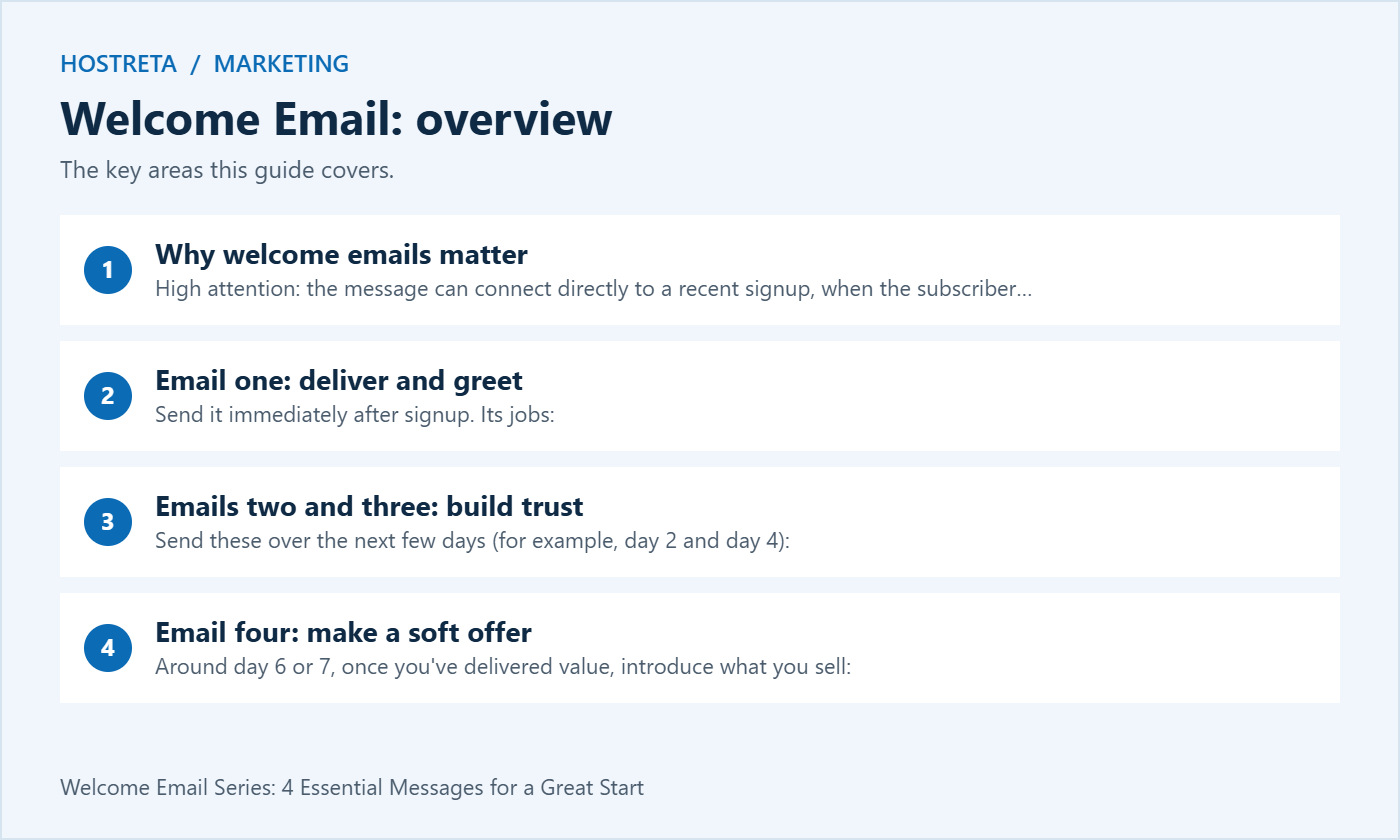
Send it immediately after signup. Its jobs:
Send these over the next few days (for example, day 2 and day 4):
Keep each email focused on one idea, with one main link. For writing tips, see How to Write a Newsletter People Actually Open.
Around day 6 or 7, once you’ve delivered value, introduce what you sell:
Customers and non-customers should then move into different paths, as explained in Email Segmentation for Small Businesses Made Simple.
Good content needs a fast site and steady promotion. Marketgoo gives step-by-step SEO recommendations, and SocialBee schedules social posts across platforms. For hosting, Kawedma WordPress hosting and managed WordPress hosting powered by Rocket.net keep pages quick, and the AI SiteBuilder from Hosting.com helps launch simple sites fast.
Welcome email is easier to manage when you review it regularly. Keep this welcome email checklist handy and revisit it after every major update.
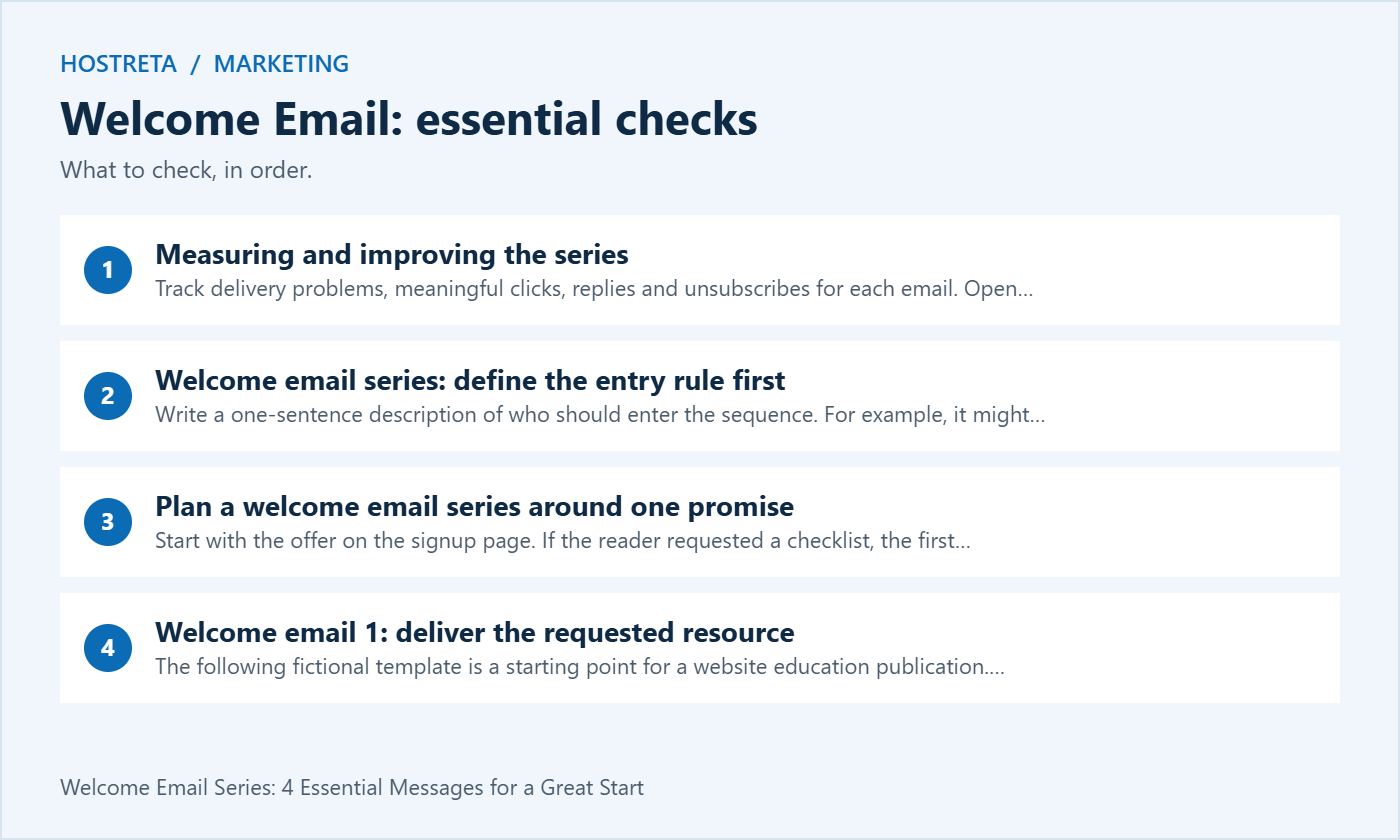
Write a one-sentence description of who should enter the sequence. For example, it might serve a newly subscribed reader who requested a website checklist through a particular form. A purchase, support enquiry or imported address is a different event and should not automatically be treated as the same subscription.
Map the actual signup route from the page to the email platform. Include pending and confirmed states when the chosen process uses confirmation. Mailchimp’s opt-in guidance notes that its audience settings do not automatically govern every integration or API route. Test the form you publish, not just an account setting elsewhere.
Decide whether an existing subscriber can restart the welcome email series. A repeat form submission should not accidentally generate several copies of every message. Record the intended re-entry behaviour and use a controlled contact to check it before enabling the workflow for the audience.
Start with the offer on the signup page. If the reader requested a checklist, the first message should make that checklist easy to obtain. Do not replace the promised item with an unrelated sales page. A clear correspondence between page and email makes the journey understandable without relying on exaggerated subject lines.
Give each message one main job and a primary next action. A short sequence can introduce helpful material, explain the publication’s approach and offer a relevant product where appropriate. It does not need to tell the entire company story or link to every social profile at once.
Choose a cadence that fits the promise rather than copying a universal schedule. Four messages over a week is a starting example, not a rule that suits every audience. Consider existing newsletters and customer communications so the welcome email series does not create an unexpectedly crowded inbox.
The following fictional template is a starting point for a website education publication. Replace every placeholder and verify the resource before sending. Keep the sender name recognisable from the signup page.
Subject: Your website checklist is ready
Hi [first name or neutral greeting],
Thanks for joining [publication]. Here is the checklist you requested: [resource link]. It is designed to help you review the main parts of your website and choose one useful improvement.
Start with the section that matches your current problem. You do not need to complete every task today. Over the next few messages, we will share an example, explain how we approach website decisions and introduce a relevant option for getting help.
Our regular emails cover [topics] at about [honest frequency]. If that is not what you expected, you can update your preferences or unsubscribe using the links below.
If the download does not work, reply to this email and tell us which page you reached. A person monitors this inbox.
[sender name]
Remove the invitation to reply if nobody can handle responses. Test the link as an ordinary visitor, including any access or download limits. A working editor preview does not establish that a subscriber can retrieve the resource.
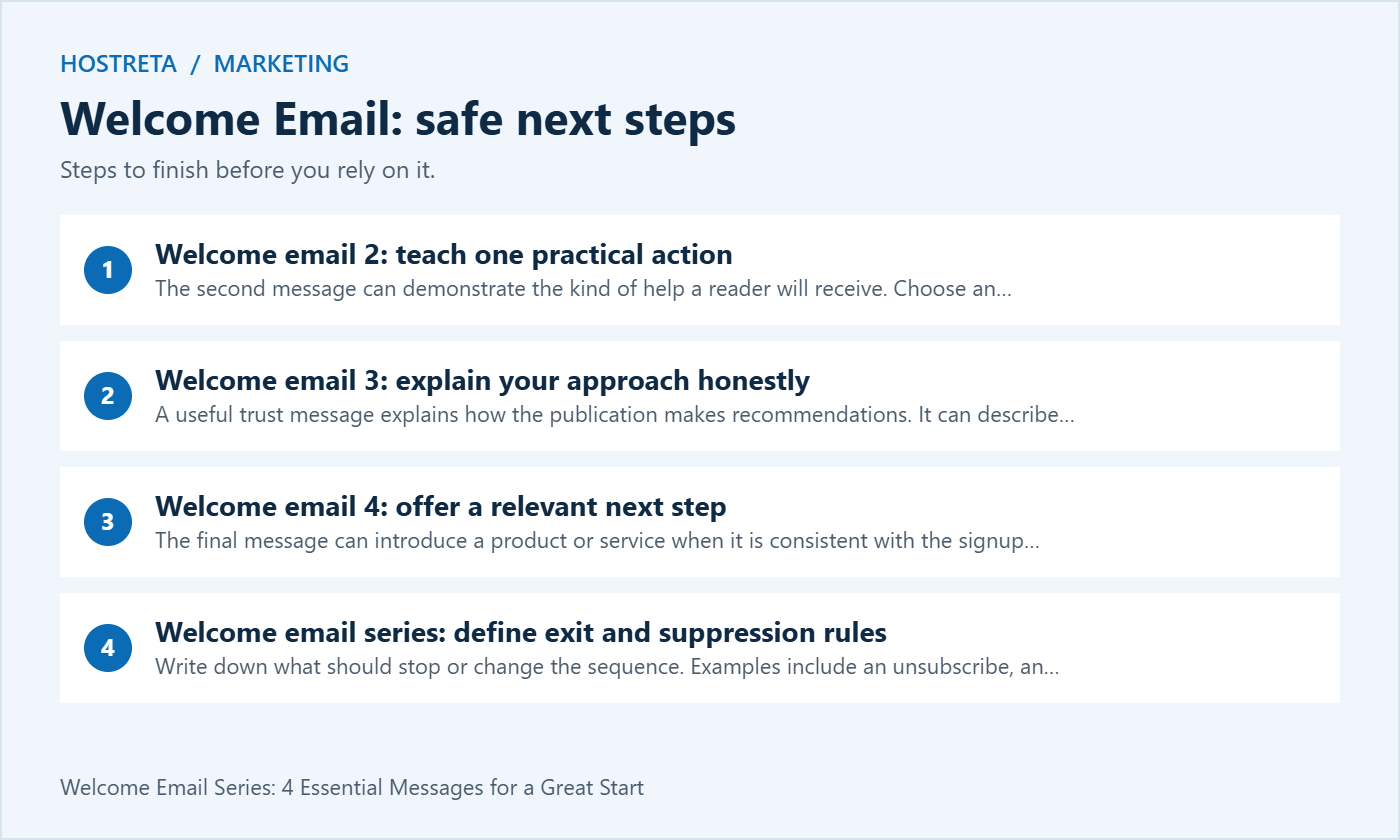
The second message can demonstrate the kind of help a reader will receive. Choose an action that is safe and understandable for the intended audience. Avoid telling beginners to change live DNS or delete production records as a quick win.
Subject: One useful website check to try today
Hi [greeting],
Here is a simple way to use your checklist: choose one important visitor journey and walk through it from beginning to end.
For a service business, that might mean finding the contact page, completing the form with controlled test details and confirming that the right team receives the enquiry. For a shop, use an approved test process rather than creating unnecessary real purchases.
Write down where the journey becomes unclear. A specific observation, such as an unreadable error message, is easier to act on than a general feeling that the site needs work.
We have explained this approach in [relevant guide]. The guide includes the test conditions and the limits of what the result tells you.
Pick one improvement and keep a note of the result before making another change.
[sender name]
Keep the linked guide consistent with the email. If it discusses an advanced tool, explain the prerequisites before asking the reader to use it. A welcome email should provide an appropriate next step for the person who signed up.
A useful trust message explains how the publication makes recommendations. It can describe testing, editorial review or the questions you ask before choosing a service. Use real evidence where available and label hypothetical examples clearly.
Subject: How we choose what to recommend
Hi [greeting],
Website decisions usually involve tradeoffs. A tool that works well for one project can create unnecessary cost or complexity for another.
When we review an option, we begin with the job it must do. We look at the workflow, required access, ongoing maintenance and a way to test the result. We also explain limitations that could change the decision.
That is why our guides include practical checks rather than promising that one purchase guarantees speed, traffic or sales. If we have not tested a claim ourselves, we identify the source or describe it as something to verify.
You can see an example in [guide or case study]. Read the requirements first and compare them with your own project.
If you want to suggest a topic, use [monitored route]. We use reader questions to understand which problems need clearer explanations.
[sender name]
Do not insert invented testimonials or customer results. If a case study uses a real client, use suitable permission and avoid exposing private information. The welcome email series should establish a standard that the regular content actually follows.
The final message can introduce a product or service when it is consistent with the signup promise. Explain who it is for, what is included and where to review details. A purchase is one possible outcome, not a condition of continuing to receive useful material.
Subject: Need help with the next step?
Hi [greeting],
You now have the checklist and a simple process for choosing a website improvement. If you prefer to handle the work yourself, [guide] is a useful place to continue.
If you need implementation help, [service or product] is intended for [specific situation]. It covers [accurate scope]. Review the details, requirements and current price at [offer page] before deciding whether it fits.
For work outside that scope, ask for a separate proposal rather than assuming every task is included. We would rather clarify the requirement than recommend a purchase that does not solve your problem.
You do not need to buy to stay subscribed. Future emails will follow the topics and frequency described when you joined, and you can change your preferences at any time.
[sender name]
If you use an incentive, give its real conditions and apply an actual deadline. Do not reset a timer for every visit while claiming that an offer is about to disappear. Check the landing page and checkout against the wording in the welcome email.
Write down what should stop or change the sequence. Examples include an unsubscribe, an invalid address, a purchase that makes an offer irrelevant or a support request that needs a person. Keep marketing status separate from a general contact record so a database entry is not mistaken for permission to send.
Use the platform’s supported handling for unsubscribed contacts. Mailchimp’s unsubscribe guidance explains its own process; other systems can differ. Test your integrations so a later import or repeated form submission does not silently restore somebody to a marketing sequence against their stated preference.
For a purchase during the welcome email series, decide which messages remain useful. An educational guide may still help a customer, while a discount for the same product may be inappropriate. Use a tested branch when the data supports it, and document what happens if the purchase event arrives late.
Apple’s Mail privacy documentation explains how privacy protection limits information available to senders. Do not treat a recorded open as a reliable individual signal for whether a person read or understood your message.
Choose measures linked to the message’s job. For the first welcome email, check resource access and delivery problems. For a teaching message, consider meaningful guide visits or relevant replies. For an offer, examine the actual outcome and whether the recipient was eligible, rather than counting every automated link interaction as buying intent.
Keep the denominator clear when reporting results. A conversion rate based on delivered messages differs from a rate based on link visitors. Record the reporting window and attribution assumptions. Small samples can vary substantially, so avoid declaring a winner after only a handful of contacts.

Record the result for each step and note anything the test did not cover. A test message sent directly from the editor is useful for layout, but it does not exercise the actual entry rule, delay or exit condition. Verify the whole route before treating the automation as ready.
Use a test environment or supported test mode when appropriate. If delays are shortened for testing, restore and verify the production values before activation. Keep the test group separate from the real audience and avoid sending unnecessary campaigns to validate a single workflow.
Assign an owner for the sequence and a review trigger. A changed product, moved download, new signup promise or retired offer should prompt a review. Automated content can continue sending long after the original campaign team has forgotten the link it contains.
Keep a version record for message copy, entry rules and major changes. If subscribers report an irrelevant offer, the record should help you identify which version they received. Make one material adjustment at a time when investigating a problem so the effect is easier to understand.
For the welcome email series, review the reply destination as well as the sending configuration. A recognisable branded address helps continuity, but authentication does not guarantee delivery. Confirm the notification and staffing process for replies that need attention.

Complete the signup and resource journey using a keyboard, then check whether every interactive control has a clear label and a visible focus state. Use descriptive link text that identifies the resource rather than a repeated “click here”. Keep essential instructions in readable text so blocking images does not hide the action. Test zoom and a narrow viewport on the destination page, and record failures separately from email-client rendering differences.
| Message | Primary job | Useful check |
|---|---|---|
| Deliver and greet | Fulfil the signup promise | Resource works for a normal subscriber |
| Practical action | Help the reader do one useful task | Relevant guide and clear next step |
| Explain the approach | Set an honest expectation | Claims and examples can be supported |
| Relevant offer | Present an appropriate choice | Scope, eligibility and landing page agree |
Add unresolved issues and the next review date to the report. A welcome email series is an ongoing part of the subscriber experience, not a completed project simply because four messages have been written.
If the signup journey requires a website form, landing page or hosting work, consider KAWEDMA’s website development and hosting services. Specify the email platform, required integration and testing scope when requesting help. Confirm whether automation setup is included instead of assuming it comes with every hosting package.
For editorial work, keep responsibility for the promise, message accuracy and audience preferences clear. A technical supplier can help connect systems, but the business still needs to decide what subscribers should receive and how replies will be handled.
No. Four is a workable example. Use the number needed to fulfil the promise and provide a clear introduction. A short useful sequence is preferable to adding messages that repeat the same point.
Do not assume that an import represents a new signup. Review the actual subscription status, source and expectations. Use an appropriate process for that audience rather than sending a message that falsely says they just joined.
No. Results depend on the audience, relevance, offer and broader customer journey. Define useful outcomes, test the workflow and improve based on evidence. Avoid presenting a four-message schedule as a predictable revenue formula.
Pause the affected workflow when important links fail, suppression does not work or the promised content is wrong. Correct and test the problem before restarting. Keep a record of which contacts may need an appropriate follow-up rather than blindly replaying the whole sequence.
We may earn a commission on purchases made through these links, at no extra cost to you.
Don’t miss the chance to participate in the biggest giveaway of this year.