Hosting

PHP Workers Explained: Why Your Store Slows Down Under Load
Your hosting plan lists storage, bandwidth, and maybe CPU — but the number that decides whether your store survives a traffic spike is often hidden: PHP workers. Run out of them and visitors queue, pages crawl, and checkout times out, even though your CPU graph looks calm. It is one of the most common reasons stores slow down during sales, and one of the least understood.
This guide explains what PHP workers actually do, how they relate to PHP-FPM and your server, why WooCommerce needs more of them, the warning signs, how to measure usage, how many PHP workers you need, how to reduce demand, and how to get more before Black Friday on November 27, 2026.
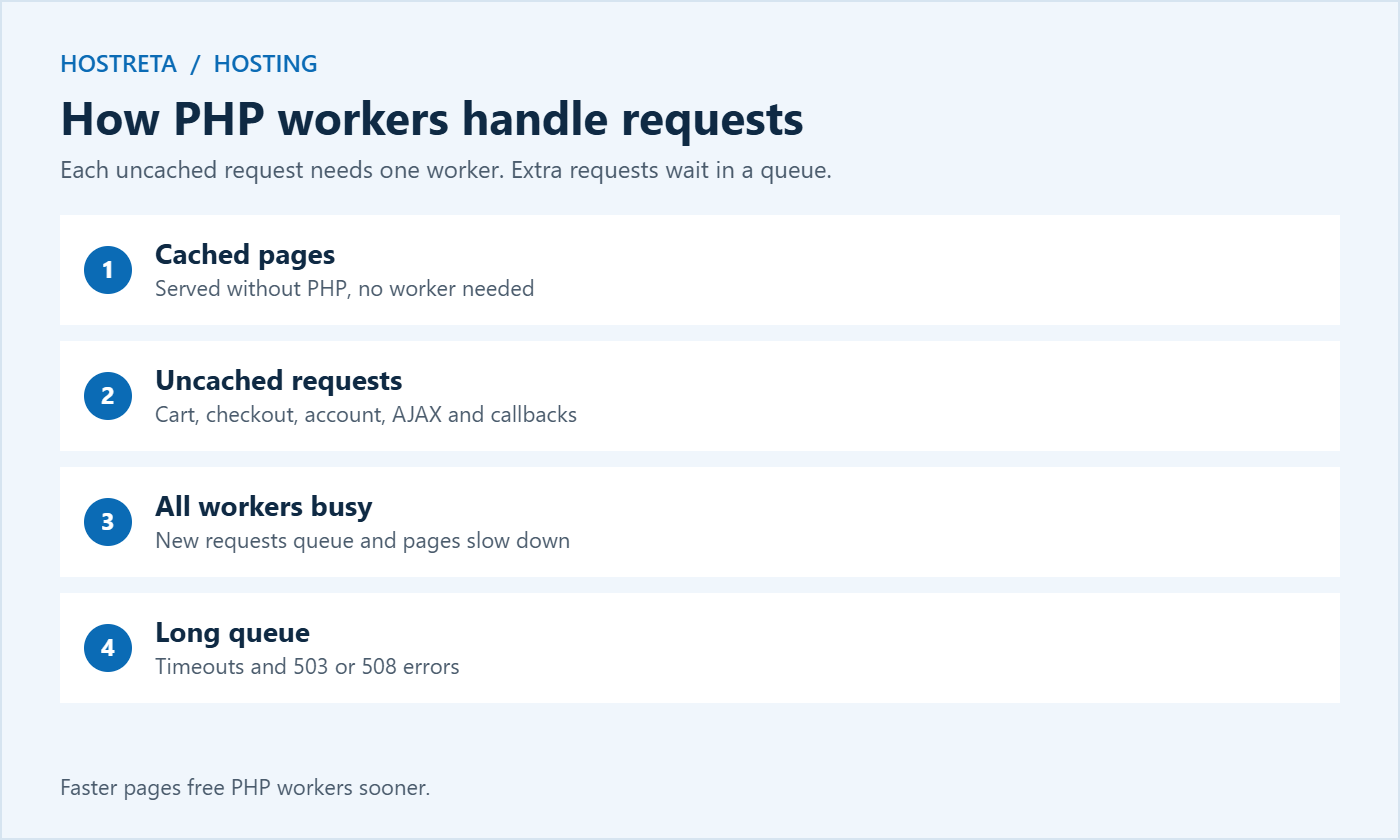
A PHP worker is a process that builds one uncached page at a time. When a request arrives that can’t be served from cache, a worker picks it up, runs the PHP, queries the database, assembles the HTML, and sends it back. Then it takes the next request.
If every worker is busy, new requests wait in a queue. A short wait means a slow page. A long wait means a timeout or a 50x error.
Cached pages don’t use PHP workers at all — which is why caching has such a dramatic effect on how many visitors a plan can handle.
Think of PHP workers as checkout lanes in a supermarket. Cached pages are like the self-service exit for customers who bought nothing — they walk straight out. Uncached requests need a lane. With four lanes and four customers, nobody waits. With four lanes and forty customers arriving at once, a queue forms, and some customers give up and leave. Adding lanes helps, but so does serving each customer faster.
Different hosts use different names for the same idea. On servers running PHP-FPM, the setting pm.max_children controls how many PHP processes can run at once. LiteSpeed servers use LSAPI processes. Shared hosting panels such as CloudLinux often show entry processes or EP limits. Managed WordPress hosts usually just say “PHP workers.” Whatever the label, it measures how many uncached requests your site can process at the same moment.
A blog with the same traffic might need a fraction of the PHP workers a store does.
A single shopper browsing cached category pages may use almost no workers. But adding a product to the cart, changing a variation, applying a coupon, viewing the cart, and completing checkout can easily create ten to twenty uncached requests in a few minutes. Multiply that by everyone shopping at once during a sale, and it’s easy to see how a small number of PHP workers becomes the bottleneck.
Load testing reveals this before customers do — see Load Test Your Store: 7 Essential Checks for a Safe Rehearsal.
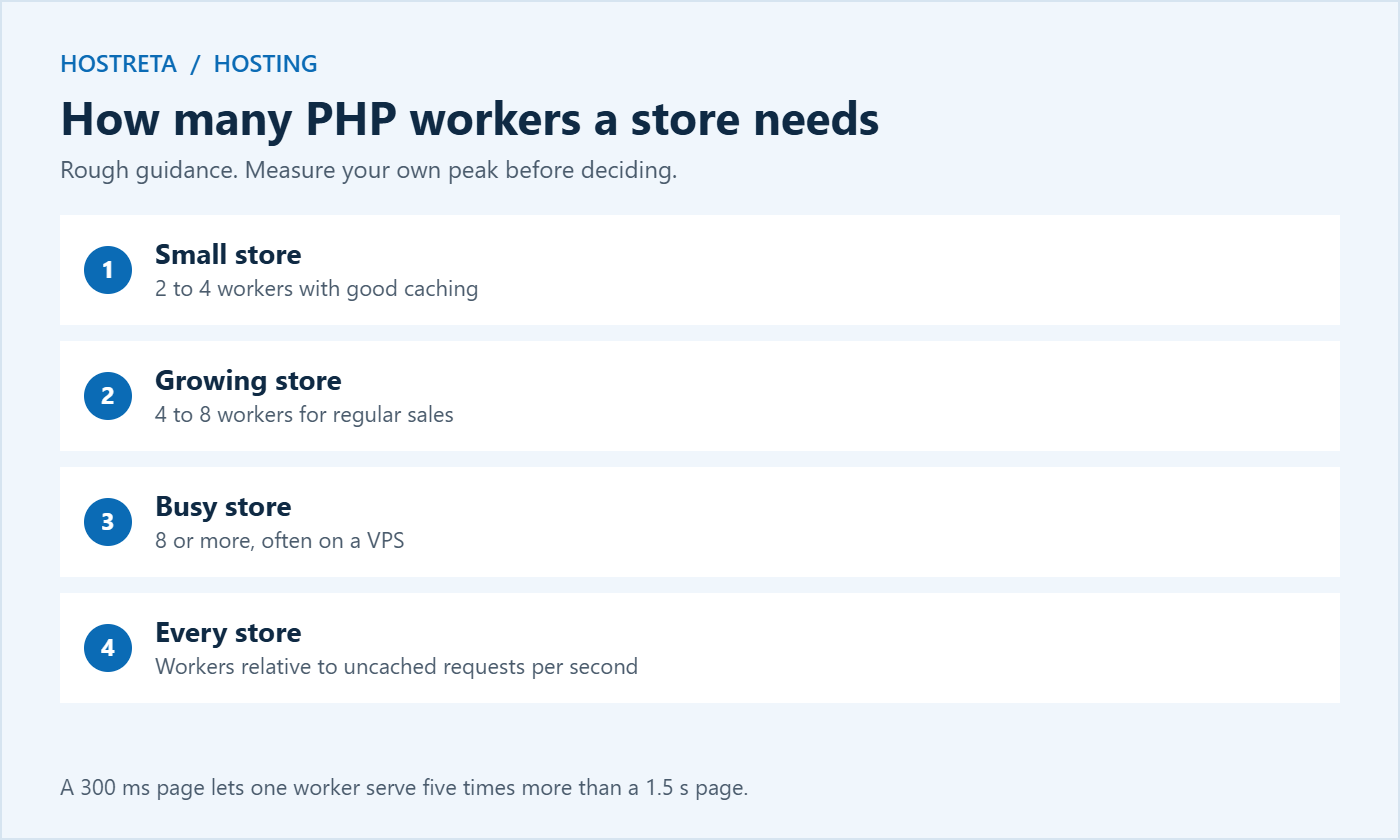
There’s no universal number, but rough guidance for stores:
What matters is workers relative to uncached requests per second. Faster pages free workers sooner, so optimisation is as valuable as adding capacity — a page that takes 300 ms instead of 1.5 seconds lets one worker serve five times as many requests.
If each uncached request takes 0.5 seconds, one worker can handle about two requests per second. Four PHP workers can handle about eight. If your peak hour brings 50 active shoppers each making a request every ten seconds, that’s five uncached requests per second — comfortable with four workers, but tight if pages slow down or bots add extra load. This rough maths helps you have a sensible conversation with your host.
Each PHP worker uses memory — often 64 to 256 MB for a WooCommerce request. Adding workers without enough RAM causes the server to swap or crash, which is worse than queuing. On a VPS, size pm.max_children to fit available memory, leaving room for the database and cache. On managed hosting, the provider balances this for you.
The wider decision is covered in Should You Upgrade Your Hosting Plan Before Black Friday? and WooCommerce Hosting Requirements.
To understand why PHP workers matter so much, picture a small store with four workers sending its Black Friday email at 9:00 in the morning.
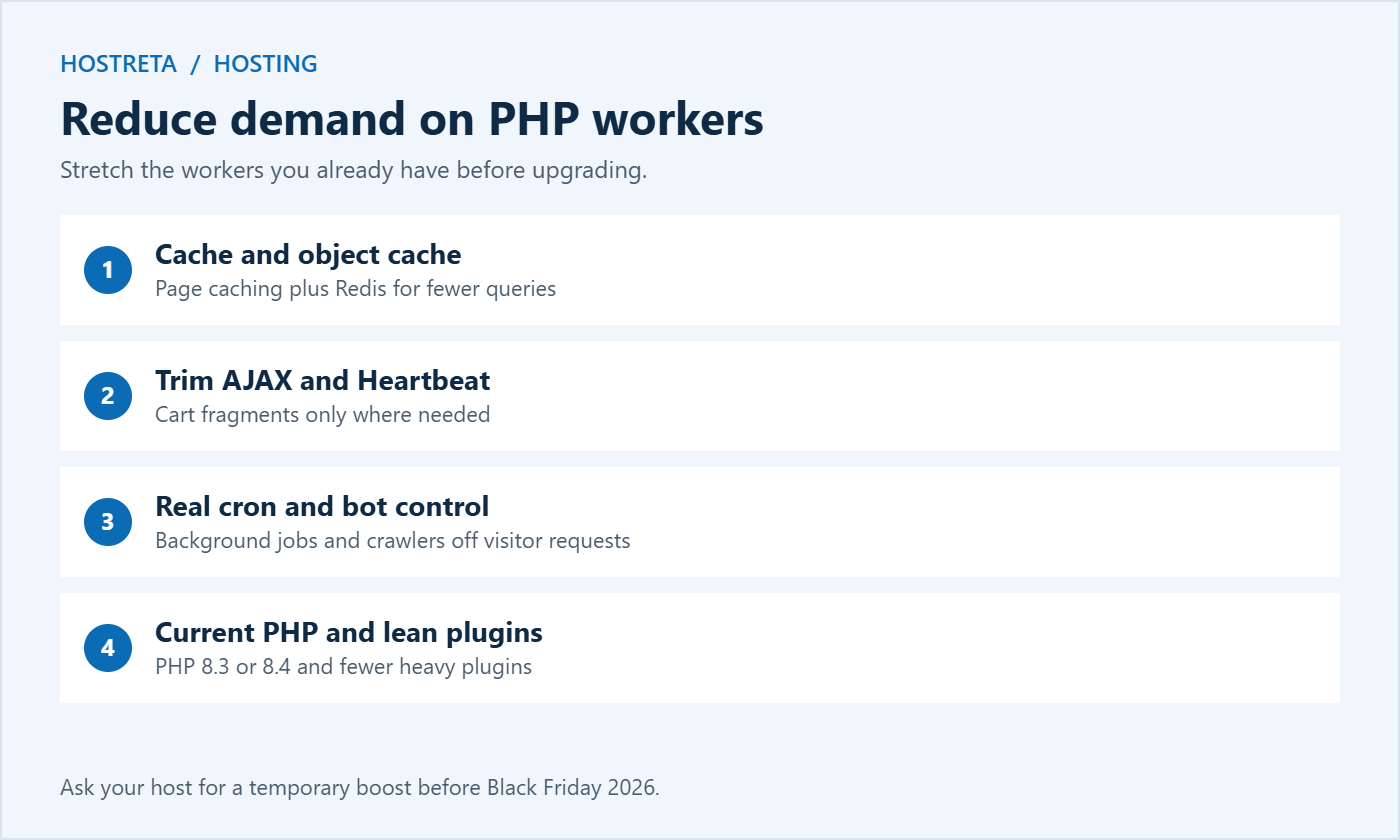
The fix is a mix of more PHP workers, faster requests, and spreading traffic — for example, sending the email to segments thirty minutes apart, or opening early access for subscribers the day before. Planning around your worker limit is often cheaper than doubling your hosting bill.
Many stores now start sales earlier, run early access for subscribers on Thanksgiving, and stagger email sends. That spreads demand on PHP workers across several hours instead of a single spike. It also gives you time to spot problems while traffic is still moderate. See How to Use Early Access Offers to Warm Up Holiday Buyers and Black Friday Marketing Calendar.
A PHP worker stays busy for the whole time it waits on something else. If your checkout calls a shipping rate API that takes two seconds to respond, that worker is blocked for two seconds, even though the server itself is doing almost nothing. The same applies to payment gateways, tax services, address validation, and marketing integrations that run during checkout.
Cutting a single slow external request can free more capacity than adding an extra worker. Shipping tools are compared in WooCommerce Shipping Plugins Compared.
No. Workers are processes; cores are the hardware that runs them. More workers than cores can work if requests spend time waiting on the database, but too many workers on too few cores slows everything down.
No. Fully cached pages are served without PHP, which is why good caching lets a small number of workers support a lot of traffic.
Requests may be queuing for PHP workers, or waiting on slow database queries or external APIs. Check worker limits and slow queries before upgrading CPU.
Yes. Plugins that make frequent AJAX calls, slow external requests, or heavy background jobs can keep workers busy. Query Monitor helps identify them.
Open the Resource Usage or CPU and Concurrent Connection Usage section. Look for entry processes (EP) and any faults recorded when the limit was reached. Frequent EP faults at busy times mean you need more capacity or less uncached load.
Check which limit you’re hitting. If workers are full but memory is free, more workers help. If memory is near its limit, adding workers without more RAM can make things worse.
Yes. Logged-in visitors usually bypass the page cache, so every page they view needs a worker. Stores with many account holders or memberships should plan for this.
A CDN serves images, CSS, and JavaScript from the edge, and some can cache full pages for anonymous visitors. That reduces requests reaching PHP, though cart and checkout still need workers.
Understanding PHP workers changes how you think about hosting. Instead of asking “how many visitors can my plan handle?”, ask “how many shoppers can check out at the same time, and how fast is each request?” Answer that with real measurements, reduce unnecessary work, and add capacity where it is genuinely needed. That approach keeps your store fast on the busiest days of the year without paying for resources you never use, and it gives you clear numbers to discuss with your host when you plan the next big sale.
If you only do one thing this week, ask your host how many PHP workers your plan includes and compare that number with your expected peak. That single answer tells you whether you are ready for the sale or need to act now.
We may earn a commission on purchases made through these links, at no extra cost to you.
Don’t miss the chance to participate in the biggest giveaway of this year.